DNS Propagation and TTL Settings: Why Your Website Changes Take Time to Go Live

You have just updated your website's DNS settings. Perhaps you switched to a new hosting provider, changed your mail server, or pointed your domain to a new service. You are excited to see the changes live, so you type your domain into the browser—only to find that nothing has changed. Your website still shows the old content, or worse, it shows an error page. You check your settings again and again, everything looks correct, but the internet seems to be ignoring your instructions.
If this has ever happened to you, you are not alone. According to a 2025 survey by Cloudflare, 67% of small business owners in Singapore reported confusion or delays when making DNS changes, with many believing their provider had made a mistake when in reality the internet simply had not caught up yet.
DNS propagation is one of the most misunderstood concepts in website management, yet it affects every business with an online presence. Understanding how it works—and how TTL settings control it—will save you hours of frustration and help you plan website changes with confidence.
What is DNS Propagation?
DNS propagation is the process by which changes to your domain's DNS records are distributed across the internet. When you make a change to your DNS settings, such as updating an A record to point to a new server IP address, that change does not instantly appear everywhere. Instead, it travels gradually from DNS server to DNS server around the world, much like how ripples spread across a pond when you drop a stone into the water.
Every time someone types your domain name into their browser, their device performs a DNS lookup. It asks a DNS resolver—often provided by their internet service provider (ISP) or a service like Google Public DNS—whether it knows the IP address for your domain. If that resolver does not have the answer cached, it begins a chain of queries that eventually reaches your domain's authoritative nameservers, which hold the official DNS records.
The catch is that resolvers cache DNS records to speed up subsequent lookups. This caching is what makes the internet fast, but it also means that when you change your DNS records, anyone whose resolver has cached the old records will continue to see the old version of your site until that cache expires. This delay—while your updated records spread across the global DNS infrastructure—is what we call propagation.
What Are TTL Settings and Why Do They Matter?
TTL stands for Time To Live, and it is a value assigned to each DNS record that tells resolvers how long they should cache that record before checking for an update. TTL is measured in seconds, so a TTL of 3600 means the resolver should cache the record for one hour before requesting fresh data.
Think of TTL like the expiration date on a food package. While the food is within its expiration window, you consume it without checking if it is still good. Once that window closes, you have to check again before eating. Similarly, while a DNS record is within its TTL window, resolvers serve the cached version without asking the authoritative nameserver if there is a newer record. When the TTL expires, the resolver must query the authoritative nameserver again, and any changes you have made will finally be visible.
For Singapore businesses, TTL settings become critically important whenever you are planning a website migration, launching a new service, or making any change that requires DNS updates to go live quickly. If your TTL is set to 86400 seconds (24 hours), you could be waiting up to a full day for all users to see your changes. If your TTL is set to 300 seconds (5 minutes), the maximum wait time drops to just 5 minutes.
However, there is a trade-off. Short TTLs mean your DNS resolver has to query authoritative nameservers more frequently, which can slightly increase latency for first-time visitors. They also increase the load on your nameservers. Most businesses accept this trade-off during periods of planned change, then increase TTLs again for normal operations.
Step-by-Step: How to Plan DNS Changes Using TTL Settings
Step 1: Check Your Current TTL Values
Before making any DNS change, you need to understand what your current TTL settings are. You can do this using the dig command if you have access to a terminal, or by using free online DNS lookup tools. On a Mac or Linux computer, open Terminal and type:
dig A yourdomain.comLook for the answer section and the TTL value shown in seconds. On Windows, you can use the nslookup command or download a tool like DNSBench. Record these values because they will determine how quickly you can expect changes to propagate.
If you find that your TTL is set to 24 hours (86400 seconds), you will need to plan ahead before making any changes. If it is set to 5 minutes (300 seconds) or less, you have more flexibility. For comparison, many Singapore businesses use Cloudflare's free DNS service, which defaults to TTLs of 300 seconds—a good balance between performance and flexibility.
Step 2: Lower Your TTL 24 to 48 Hours Before Making Changes
This is the most important step that most people skip, and it is the primary reason why DNS changes take so long. If your current TTL is 86400 seconds, reducing it to 300 seconds and waiting for the old cache to expire before making your actual change can cut your propagation time from up to 24 hours down to just 5 minutes.
Log into your domain registrar or DNS provider's control panel. Look for the DNS records section and find the records you plan to modify. Change their TTL values to 300 seconds (5 minutes) or 600 seconds (10 minutes). Some providers express TTL in minutes rather than seconds, so be careful to convert correctly—300 seconds is 5 minutes, 1800 seconds is 30 minutes, and 3600 seconds is 1 hour.
After updating the TTL, do not make any other changes yet. Wait for the old TTL period to fully expire so that all resolvers worldwide have had a chance to refresh their cache with the new, short TTL value. If your old TTL was 86400 seconds, wait at least 24 hours. If it was 3600 seconds, wait at least 1 hour.
Step 3: Make Your Actual DNS Changes
Once the short TTL has propagated, you can now make your intended DNS changes—whether that is updating an A record to a new server IP address, changing a CNAME record, adding new MX records for email, or any other modification. Because the TTL is now set to 5 minutes, any changes you make will propagate to most users within 5 minutes.
For example, if you are migrating your website from an old hosting provider to a new one, you would update your A record to point to the new server's IP address. If you are setting up a new email service, you would update your MX records. If you are using a CDN like Cloudflare, you would update your DNS to route through their network.
Be careful during this step: make sure you have the correct new values before saving. Double-check IP addresses, hostnames, and priority values for MX records. Errors at this stage can cause downtime that, thanks to your short TTL, will propagate quickly to all users.
Step 4: Verify Your Changes Are Live
After making your changes, you need to confirm that they have propagated. Use online DNS lookup tools that query multiple global DNS servers simultaneously—this gives you a picture of what users in different parts of the world are seeing. Look for the specific record you changed and check that it shows your new value.
You can also test directly from your own computer. On Mac or Linux, use dig A yourdomain.com and check the answer section. On Windows, use nslookup yourdomain.com. If you see your new IP address or hostname, your change has reached your local resolver. Remember that if you are testing from a device that cached the old record before the TTL was lowered, you may need to flush your local DNS cache. On Mac, this is done with sudo dscacheutil -flushcache. On Windows, use ipconfig /flushdns.
For Singapore-based businesses, it is worth testing from both local and international DNS servers, since some of your customers may be using offshore resolvers. If your website serves international customers, a tool like WhatsMyDNS.net lets you check your DNS records from over 100 global points of presence.
Step 5: Restore Your TTL to Normal After Propagation
Once you have confirmed that your DNS changes are live and working correctly, you should restore your TTL values to their normal operational settings. This is important for long-term performance—keeping TTLs at 300 seconds indefinitely means your authoritative nameservers receive more queries, which can slightly increase response latency and load.
Set your TTLs back to 3600 seconds (1 hour) or 86400 seconds (24 hours) depending on how frequently you expect to make DNS changes in the future. Most businesses choose 3600 seconds as a default, which provides a reasonable balance between propagation speed for emergency changes and reduced load for normal operations.
If something goes wrong after you restore the higher TTLs, you can always lower them again following the same process. Having this flexibility is why many Singapore businesses keep a reminder in their calendar every time they make DNS changes: "Lower TTL first, wait, make change, verify, restore TTL."
Common DNS Propagation Pitfalls and How to Avoid Them
Even with proper TTL management, some issues can still cause unexpected delays. One common problem is multiple DNS providers. If your domain uses Cloudflare for DNS but also has DNS records configured at your registrar, changes made in one place may be overwritten or conflict with the other. Always ensure you are editing DNS records in the authoritative location.
Another issue involves CNAME records used for custom domains on platforms like Shopify, WordPress.com, or Netlify. If you have added a CNAME record to point your domain to a third-party platform, that platform controls how their DNS responds—you cannot control propagation speed for those records beyond what their documentation specifies.
For businesses using SSL certificates, note that DNS propagation does not affect certificate issuance. If you are getting a new SSL certificate from Let's Encrypt or another provider, the DNS changes must fully propagate before the certificate authority can verify your domain control. This is why it is essential to complete DNS propagation before initiating certificate requests.
If you are troubleshooting website loading issues and suspect DNS problems, check whether your domain resolves correctly by using ping yourdomain.com in Terminal or Command Prompt. If ping resolves to an IP address but your website still does not load, the issue may be with your web server rather than DNS. For a comprehensive checklist of potential causes, see our guide on common website errors to watch out for.
For businesses migrating hosting providers, a useful technique is to keep both the old and new servers running simultaneously during the transition period. This way, if some users are still reaching the old server due to incomplete propagation, they still see a working website. Once propagation is complete and all users are reaching the new server, you can safely decommission the old one.
Why Does This Matter for Singapore Businesses?
Singapore has one of the highest internet penetration rates in the world, with over 92% of households connected to broadband. Your customers expect your website to load instantly, and research from Google shows that 53% of mobile users abandon a site that takes longer than three seconds to load. When DNS propagation delays keep old content live or cause error pages, you are not just losing those immediate visitors—you are building a perception of unreliability that can take months to overcome.
For e-commerce businesses, DNS changes during peak seasons can be especially damaging. A Singapore-based study by Blackbox Commerce in 2024 found that during major sales events like Single's Day and 11.11, even 15 minutes of unexplained website downtime resulted in an average cart abandonment rate of 34%. Understanding DNS propagation and planning your changes with appropriate TTL management means you can make necessary infrastructure updates without risking your most critical revenue windows.
Additionally, Singapore's Personal Data Protection Act (PDPA) requires that businesses maintain transparent and accurate online representations. If your DNS settings are causing customers to be redirected to outdated pages or incorrect information, this could create compliance concerns during audits.
Whether you are a startup launching your first website, an established retailer migrating to a new e-commerce platform, or a professional services firm updating your email security settings, DNS propagation is a technical detail that rewards the prepared. A few hours of planning before making DNS changes can mean the difference between a seamless migration and days of customer confusion.
If after all these steps you still cannot fix the problem, or if the issue is too technical for you to handle alone, contact WebCare Singapore. Our team specialises in helping Singapore business owners resolve website issues quickly and affordably. Do not let a broken website cost you customers—reach out today and get your site back on track.
Related WebCare Solutions

DIY vs. Professional Website Repair: Which is Right for You?
Deciding between fixing website issues yourself or hiring an expert? This guide helps you weigh the pros and cons to make the best choice for your website's health and your peace of mind.

The 2026 Guide to Local SEO for Singapore Businesses
Master the hyper-local search landscape in Singapore with tips on Map Pack ranking, localized schema, and winning the local AI search game.
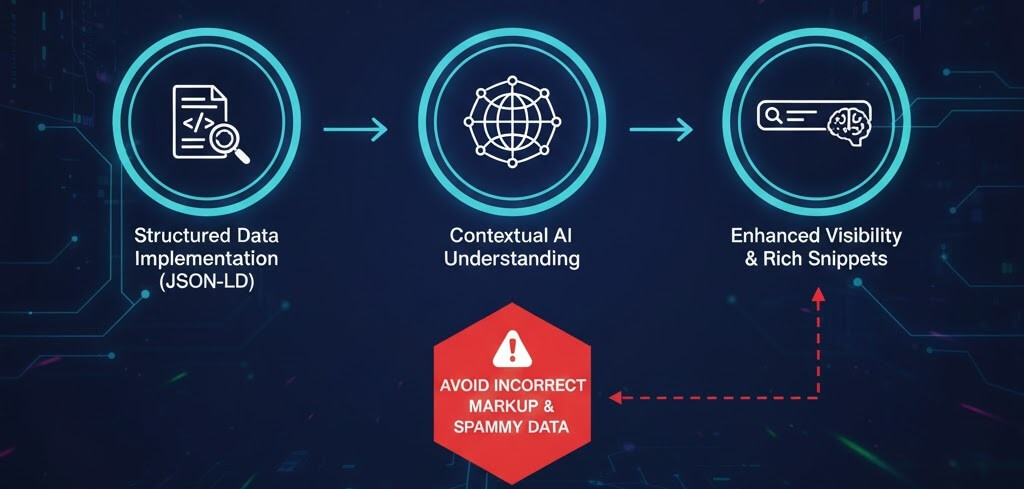
Adding Schema Markup for Better SEO in the AI Era
A beginner-friendly guide to using schema markup to help AI search engines and LLMs understand your content, leading to better rich results and citations.
Ready to get started?
Focus on your business while we fix your website. Contact WebCareSG today for fast, reliable solutions!
Whatsapp us on