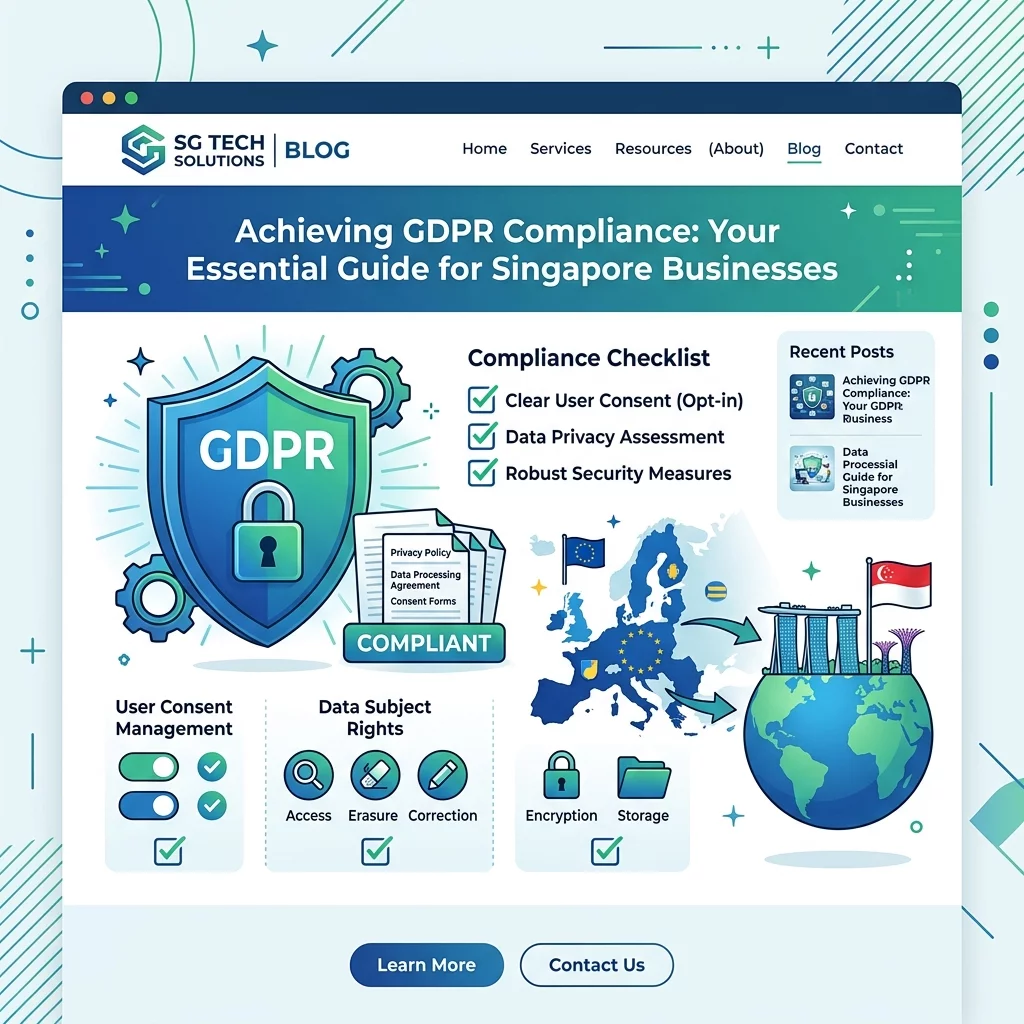
If you run a Singapore business website and you have visitors from Europe — or if you are planning to serve European customers — you need to understand GDPR. GDPR stands for the General Data Protection Regulation. It is a law that protects the personal data of people living in the European Union (EU). Even though Singapore is far away from Europe, if your website collects any data from EU visitors, GDPR applies to you. This article will walk you through a simple checklist to make sure your website is GDPR-compliant, even if you have never dealt with European regulations before.
Why does this matter to you as a Singapore business owner? Because the penalties for breaking GDPR can be severe — up to 20 million euros or 4% of your annual global turnover, whichever is higher. Beyond the financial risk, your reputation could be damaged if EU visitors feel their data was mishandled. The good news is that getting compliant is not as complicated as it sounds. This checklist will help you cover the basics step by step.
Understanding What GDPR Means for Your Singapore Website
GDPR was created to give European citizens control over their personal data. Personal data includes names, email addresses, phone numbers, IP addresses, location data, and even cookie information. If your website uses any of these to identify someone in the EU, you are considered a data controller under GDPR, and you have obligations.
Many Singapore businesses assume GDPR only applies to companies physically located in Europe. This is a common misconception. If your website targets EU customers, offers products or services in euros, or tracks EU user behaviour through analytics or advertising, GDPR applies to you. Singapore's Personal Data Protection Act (PDPA) shares similar principles with GDPR, but the requirements are not identical. Understanding both laws helps you build a more compliant business.
Step 1: Create a Clear Privacy Policy
Your privacy policy is one of the most important documents on your website when it comes to GDPR compliance. It must clearly explain what personal data you collect, why you collect it, how long you store it, and who you share it with. EU visitors must be able to find this policy easily — typically from a link in your website footer or near forms where data is collected.
Your privacy policy should use plain language, not legal jargon. Singapore business owners should make sure the policy covers these key points: what data is collected (name, email, payment info, cookies, IP address), how the data is used (to process orders, send newsletters, improve services), who has access to the data (third-party service providers, payment processors), how long data is retained before deletion, and what rights EU visitors have regarding their data (right to access, right to erasure, right to lodge a complaint).
Place a link to your privacy policy prominently on your website. If you use WordPress, Shopify, or any major website platform, you can usually add a privacy policy page through the settings menu. Review the policy at least once a year to make sure it reflects any changes in how you handle data.
Step 2: Get Explicit Consent Before Collecting Data
Under GDPR, you cannot collect or use someone's personal data without their clear, informed consent. This is especially important for things like email newsletters, marketing automation, cookies, and analytics tracking. Consent must be freely given, specific, informed, and unambiguous. Singapore business owners often make the mistake of pre-ticking checkboxes or burying consent options in long terms and conditions documents.
To get proper consent, use an unchecked checkbox that users must actively tick. Write your consent request in plain language. For example, instead of saying "I agree to receive marketing materials," say "Yes, I want to receive updates about promotions and new products from [Your Business Name]." Make it easy for users to withdraw consent just as easily as they gave it — for instance, include an unsubscribe link in every marketing email.
If you use pop-up forms, cookie banners, or newsletter sign-ups, make sure the consent mechanism is separate from your general terms of service. Users should be able to accept or decline independently. Keep records of when and how consent was given, as you may need to demonstrate this to regulators if ever asked.
Step 3: Implement a Cookie Consent Solution
Cookies are small pieces of data stored on a visitor's browser. They are commonly used for session management, analytics, and advertising. Under GDPR, cookies that track user behaviour are considered personal data processing. This means you need to get consent before placing non-essential cookies on your visitors' devices.
Non-essential cookies include analytics trackers like Google Analytics, advertising cookies from Facebook or Google Ads, and any third-party tracking scripts. Essential cookies that are necessary for your website to function — such as shopping cart cookies or security cookies — do not require consent.
Install a cookie consent banner on your website. When visitors first arrive, show a clear banner explaining that your site uses cookies. Give them the option to accept all, reject non-essential cookies, or customise their preferences. Make sure the banner does not automatically load tracking scripts until consent is given. Many platforms offer free cookie consent plugins. WordPress users can use plugins like GDPR Cookie Consent or CookieYes. Shopify stores can use apps like GDPR Cookie Compliance.
Step 4: Give EU Visitors Their Data Rights
GDPR grants EU visitors several rights regarding their personal data. As a website owner, you must be able to honour these rights. The key rights you need to understand are: the right to access (visitors can request a copy of all personal data you hold about them), the right to erasure (visitors can request that you delete their data, also known as the right to be forgotten), the right to rectification (visitors can request corrections to inaccurate data), the right to data portability (visitors can request their data in a commonly used format), and the right to object (visitors can object to certain types of processing like direct marketing).
For Singapore businesses, you should set up a simple process to handle data subject requests. This can be as straightforward as an email address where requests can be sent. You have one month to respond to any request. Keep a log of all requests received and actions taken. If you use a customer relationship management (CRM) system, make sure your team knows how to locate and export a customer's data when requested.
Step 5: Secure All Personal Data You Collect
GDPR requires you to protect personal data using appropriate security measures. This means using encryption for sensitive data, implementing access controls so only authorised people can access data, regularly updating your website software and plugins to patch security vulnerabilities, and having a plan in place in case of a data breach.
For most Singapore business websites, basic security measures include using HTTPS (the padlock symbol in the browser bar), keeping your website platform and plugins updated, using strong passwords for admin accounts, and enabling two-factor authentication for your website's admin panel. If you use third-party services to process data — such as email marketing platforms, payment processors, or CRM tools — make sure those services also have appropriate security measures in place.
Consider doing a basic security audit of your website. Many free tools are available online that can scan your site for common vulnerabilities. At minimum, check that your SSL certificate is valid and that your website software is up to date.
Step 6: Document Your Data Processing Activities
While not all Singapore businesses are required to maintain formal records of processing activities (as this applies primarily to larger organisations under GDPR Article 30), it is still good practice to document what personal data you collect, where it comes from, who it is shared with, and how long it is kept. This documentation helps you stay organised and proves your commitment to data protection if ever challenged.
Create a simple spreadsheet or document that lists every type of personal data your website collects. For each type, note why it is collected, who has access to it, where it is stored, and when it is deleted. Review this document when you add new data collection methods, such as a new form or a new third-party integration.
Step 7: Check Your Third-Party Integrations
Singapore business websites often use third-party tools for analytics, marketing, payments, and customer support. Each of these tools processes personal data, and under GDPR, you are responsible for ensuring those tools are also compliant. This is known as the controller-processor relationship.
Before using any third-party service, check their privacy policy and data processing terms. Make sure they are GDPR compliant and that they offer a Data Processing Agreement (DPA) if needed. Common third-party tools to audit include Google Analytics, Facebook Pixel, MailChimp or other email marketing platforms, payment gateways like Stripe or PayPal, live chat widgets, and social media embeds.
For each tool, ask yourself these questions: Does this tool collect personal data from EU visitors? Does the tool have a valid privacy policy and DPA? Can I limit what data the tool collects (for example, using IP anonymisation in Google Analytics)? Is the tool set to only load after cookie consent is obtained?
Step 8: Prepare a Data Breach Response Plan
GDPR requires you to notify the relevant supervisory authority within 72 hours of becoming aware of a data breach. While this deadline is strict, having a plan in advance means you are much more likely to respond quickly and correctly if something goes wrong. A data breach can include a hacked website, a leaked database, or accidental disclosure of personal information.
Your breach response plan should include: a list of who in your team is responsible for handling breaches, contact details for the relevant data protection authority, a process for assessing the severity of the breach and what data was affected, template communications to send to affected individuals and authorities, and steps to contain the breach and prevent future incidents.
No Singapore business wants to experience a data breach, but having a clear plan reduces panic and ensures you meet your legal obligations. Review your plan annually and update it as your website and business evolve.
Step 9: Add Data Protection Language to Forms
Every form on your website that collects personal data should include a short data protection statement near the submit button. This statement tells users how their data will be used and gives them a link to your privacy policy. For example, near a contact form, you might add: "By submitting this form, you agree to our Privacy Policy and consent to us contacting you regarding your enquiry."
This is a simple step but an important one. It ensures that every time a visitor shares their data, they are informed about how it will be used. Make sure the statement is visible and not hidden in fine print. If you have a newsletter sign-up form, the consent checkbox should clearly state what the visitor is signing up for.
Step 10: Review and Update Regularly
GDPR compliance is not a one-time task. As your business grows, you may add new forms, new third-party tools, or new ways of collecting data. Regularly reviewing your compliance ensures you stay protected. Set a reminder to review your privacy policy, cookie consent setup, and data handling processes at least once a year.
Subscribe to updates from the Singapore Personal Data Protection Commission (PDPC) and from EU data protection authorities if possible. Regulations change and evolve, and staying informed helps you avoid falling out of compliance. If you make significant changes to your website — such as adding a new payment gateway or launching a new marketing campaign — check that your GDPR compliance measures still cover the new setup.
If you still need help, feel free to contact us at https://webcare.sg/contact for a free website health check.