When Singapore business owners first launch their website, they often face the same challenge: how do you write copy that actually sells your products or services, without sounding robotic, without hiring a copywriter, and without spending hours staring at a blank page? Many business owners know their industry inside out, but translating that knowledge into compelling website text feels like a completely different skill set. This is exactly why artificial intelligence has become such a powerful tool for small business owners in Singapore. AI writing tools have matured rapidly, and today they can help you produce website copy that is clear, persuasive, and optimised for search engines — all in a fraction of the time it would take to write from scratch.
The real value of AI-assisted copy writing is not about replacing your voice as a business owner. It is about giving you a strong starting point that you can shape and refine. Most Singapore business owners who try AI for the first time make the same mistake — they generate one piece of copy and publish it directly. That approach rarely produces great results. The magic happens when you treat AI as a collaborator: generate options, compare outputs, ask for revisions, and then inject your own knowledge and personality into the final version. This guide walks you through every step of that process, from choosing the right AI tool to polishing your final copy for maximum impact.
If you are running a small business in Singapore and your website copy feels generic, outdated, or simply absent, this guide will help you change that. By the end, you will know how to use AI to create website copy that works for your business around the clock.
Step 1: Choose the Right AI Writing Tool
The market for AI writing tools is large and growing. For Singapore business owners, some tools are more suitable than others. The most important factor is not brand name — it is whether the tool understands your context. If you are writing copy for a Singapore audience, you need a tool that produces natural English, ideally one that handles Singlish or local references gracefully without overdoing it.
Some of the most widely used options include ChatGPT from OpenAI, Claude from Anthropic, Gemini from Google, and Jasper. Each of these tools can assist with website copy. ChatGPT and Gemini have free tiers that are sufficient for most small business owners starting out. Jasper is specifically built for marketing copy and includes templates for landing pages, product descriptions, and blog posts. If you already use Google Workspace or Microsoft 365, Gemini integrates directly with those tools, which can simplify your workflow.
For this guide, we will focus on using a general-purpose AI assistant like ChatGPT or Gemini, since these are accessible to anyone with an internet connection and do not require a subscription to get started. The techniques described here transfer well across any modern AI tool.
Step 2: Gather Your Starting Materials
Before you type a single prompt, spend fifteen to thirty minutes collecting information about your business. AI writes better copy when it has specific, accurate information to work with. Rushing this step is the most common reason generated copy feels generic or unhelpful.
Start by answering these questions in plain language:
- What exactly does your business do? Describe your products or services as if you were explaining to a friend who knows nothing about your industry.
- Who is your ideal customer? Think about age, location, what problems they have, and what they are looking for.
- What makes your business different from competitors? This is your unique value proposition — the reason a customer should choose you.
- What action do you want visitors to take on your website? Examples include calling you, filling out a contact form, signing up for a newsletter, or making a purchase.
- Do you have any existing marketing materials? Brochures, business cards, social media posts, or old website copy all provide useful context.
Write your answers down in a document. You do not need polished prose — bullet points are perfectly fine. The goal is to give the AI rich material to work with, not to produce a perfect brief.
Step 3: Write Effective Prompts for Website Copy
AI tools respond to prompts, and the quality of your prompts directly determines the quality of the output. A vague prompt produces vague copy. A specific, detailed prompt produces copy that is focused and useful. Here is how to structure your prompts for website copy generation.
First, tell the AI who you are and who your customer is. Then describe the specific page or section you need copy for. Finally, specify the tone, length, and goal. Here is an example of a well-structured prompt for a Singapore plumbing business:
"I own a small plumbing business in Jurong, Singapore. My customers are homeowners and small business owners who need reliable, affordable plumbing services. I offer emergency call-outs, pipe repair, and water heater installation. My competitors are bigger companies with larger marketing budgets. I want my website homepage to sound professional but approachable, in plain English (not overly technical), and I want visitors to feel confident calling me for help. Write a homepage hero section of about 100 words that makes it clear what I do, who I serve, and why I am trustworthy. Include a call to action encouraging visitors to call for a free quote."
Notice that the prompt includes the business context, the specific page type, the target audience, the desired tone, the approximate length, and the call to action. This level of detail is what separates useful AI copy from generic filler.
Step 4: Generate Multiple Versions and Compare
One of the biggest advantages of using AI is that you can generate multiple versions of the same copy in seconds. Do not settle for the first output. Ask the AI to generate two or three different versions, then compare them. Look at which version sounds most natural, most persuasive, and most aligned with your business voice.
When comparing versions, ask yourself these questions:
- Does this copy sound like a real person wrote it, or does it sound robotic and templated?
- Does it clearly explain what my business does within the first two sentences?
- Would a customer in Singapore feel comfortable reaching out after reading this?
- Does it include a clear next step or call to action?
- Is the tone right for my brand? (Professional and formal, or friendly and casual?)
It is rare that any single AI output is perfect on the first attempt. Think of the first round of generation as a draft, not a finished product. You are looking for the best ideas and phrasing to build from.
Step 5: Ask for Specific Revisions
Once you have a version you like, ask the AI to make targeted revisions. Do not ask for vague improvements like "make it better." Instead, ask for specific changes. For example: "Shorten the third paragraph to two sentences. Make the call to action more urgent. Replace the word 'utilise' with a simpler word." These precise requests produce much better results than open-ended feedback.
Some useful revision prompts include:
- "Shorten this to approximately 80 words."
- "Rewrite this in a more conversational, friendly tone."
- "Add a sentence at the end that builds trust, such as mentioning years of experience or Singapore-based customer support."
- "Make the call to action more specific: instead of 'Contact us,' use 'Call us today for a free quote.'"
- "Rewrite this so it speaks directly to a homeowner in Singapore who has never hired a plumber before."
Each round of revision brings the copy closer to something you would be proud to publish. Keep iterating until the copy feels right. Typically two to four rounds of revision are enough to produce polished, publication-ready text.
Step 6: Add Your Personal Voice and Local Flavour
AI-generated copy can sometimes sound generic, even after multiple revisions. One of the most effective ways to fix this is to add your own voice. After the AI has given you a solid foundation, read it out loud. If it does not sound like you or your business, make changes. Swap in phrases you actually use when talking to customers. Add a specific detail that only you would know — for example, a particular service you are known for, a milestone your business has reached, or a personal commitment you make to every customer.
Singapore has its own cultural context, and incorporating local elements can make your copy feel more genuine. References to specific neighbourhoods, seasons (like the haze season or Chinese New Year), or local customs can help Singaporean customers feel that your business understands them. Use this authenticity carefully — it should feel natural, not forced.
Also, make sure the copy reflects practical Singapore-specific information. If you mention "same-day service," confirm that your business genuinely offers this in a specific area. If you mention "HDB flat experience," make sure you actually have that experience. AI can help you write the words, but only you can ensure those words are truthful and accurate.
Step 7: Optimise Your Copy for Search Engines
Great website copy does more than communicate with your human visitors — it also communicates with search engines like Google. Search engine optimisation, or SEO, is the practice of making your website easier to find in search results. For Singapore business owners, local SEO is especially important, since most of your customers are likely searching for services within Singapore.
AI can help you incorporate relevant keywords naturally throughout your copy. Keywords are the words and phrases people type into Google when looking for a business like yours. For example, a dentist in Tampines might want to rank for "dentist Tampines" or "teeth cleaning Singapore." Ask the AI to suggest relevant keywords for your industry, then ask it to incorporate those keywords naturally into your copy. The key word here is naturally — Google penalises websites that stuff keywords unnaturally, so every phrase should flow within normal sentences.
Beyond keywords, AI can also help you optimise these on-page elements:
- Page titles (the blue clickable text in search results): AI can suggest multiple title options that include your primary keyword while remaining compelling.
- Meta descriptions (the short summary below the page title in search results): A well-written meta description can improve your click-through rate from search results.
- Headers and subheadings: Search engines give extra weight to text in header tags. AI can suggest header structures that organise your copy while incorporating relevant keywords.
- Alt text for images: Every image on your website should have descriptive alt text. AI can generate alt text that describes the image while including relevant keywords.
Step 8: Proofread and Check for Errors
Before publishing any AI-generated copy, always proofread it carefully. AI tools are powerful, but they do make factual and grammatical errors, especially when working with specific Singapore-context information. Read every word of the final copy before it goes live.
Check for these common issues:
- Incorrect prices, service names, or business details — always verify these independently.
- Grammar or punctuation errors — AI sometimes omits punctuation or uses inconsistent capitalisation.
- Outdated information — AI knowledge has a cutoff date, so it may reference regulations, technologies, or statistics that are no longer current.
- Overly promotional claims — avoid making guarantees that your business cannot keep, such as promising specific results or timelines.
- Inconsistent branding — make sure the tone, formatting, and terminology are consistent with the rest of your website.
Reading the copy out loud is one of the most effective proofreading techniques. Your ear will catch awkward phrasing that your eye would miss. If possible, ask a colleague or family member to read it and give honest feedback before you publish.
Step 9: Publish and Monitor Results
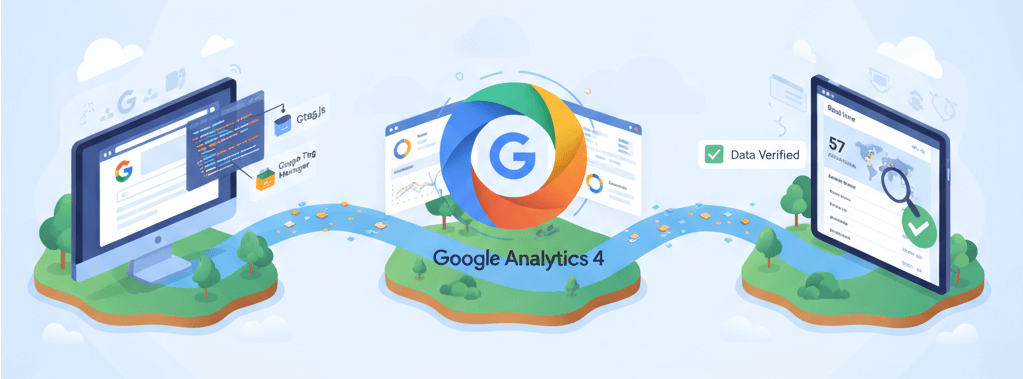
Once your copy is live on your website, the work is not quite done. The best way to know if your AI-assisted copy is working is to monitor your website's performance. Set up Google Analytics 4 on your website if you have not already. This free tool shows you how many people visit your site, how long they stay, and what actions they take.
Watch for metrics like bounce rate (the percentage of visitors who leave after viewing only one page), average time on page, and conversion actions such as form submissions or phone calls. If your bounce rate is high or time on page is very low, it may indicate that your copy is not engaging visitors effectively.
AI-assisted copy is not a set-and-forget solution. Over time, you may want to refresh your copy to reflect new services, seasonal promotions, or changes in your business. Returning to the AI tools you used originally and asking for updates is much faster than starting from scratch each time.
If you still need help, feel free to contact us at https://webcare.sg/contact for a free website health check.