If you run a business website in Singapore and have never thought about accessibility, you are not alone. Most small business owners focus on getting their products or services visible online, but few stop to consider whether people with disabilities can actually use their site. This is a problem that is quietly becoming a legal and reputational risk. Singapore has aligned itself with international standards for web accessibility, and the World Wide Web Consortium (W3C) guidelines known as WCAG 2.1 have become the baseline that businesses are increasingly expected to meet. One of the simplest yet most impactful steps you can take is to publish an Accessibility Statement on your website. It tells visitors that you care, explains what you have done, and commits you to ongoing improvements. This guide will walk you through exactly how to write one, step by step, even if you have no technical background.
Why an Accessibility Statement Matters More Than You Think
Singapore is working toward becoming an inclusive society, and the Info-Communications Media Development Authority (IMDA) has published the ICT Accessibility Baseline that government agencies and publicly funded organisations must follow. While private businesses are not legally required to meet the same standards, the direction of travel is clear. Accessibility is becoming a competitive differentiator. A customer who uses a screen reader to browse the web will notice immediately if your site is difficult to navigate. More importantly, an Accessibility Statement signals professionalism and care. It tells all visitors, including those with disabilities, that you have considered their needs. Beyond the ethical case, there are practical benefits too. Search engines reward websites that provide good user experiences, and accessibility improvements often make your site faster and easier to use for everyone, not just those with disabilities.
What Exactly Is an Accessibility Statement?
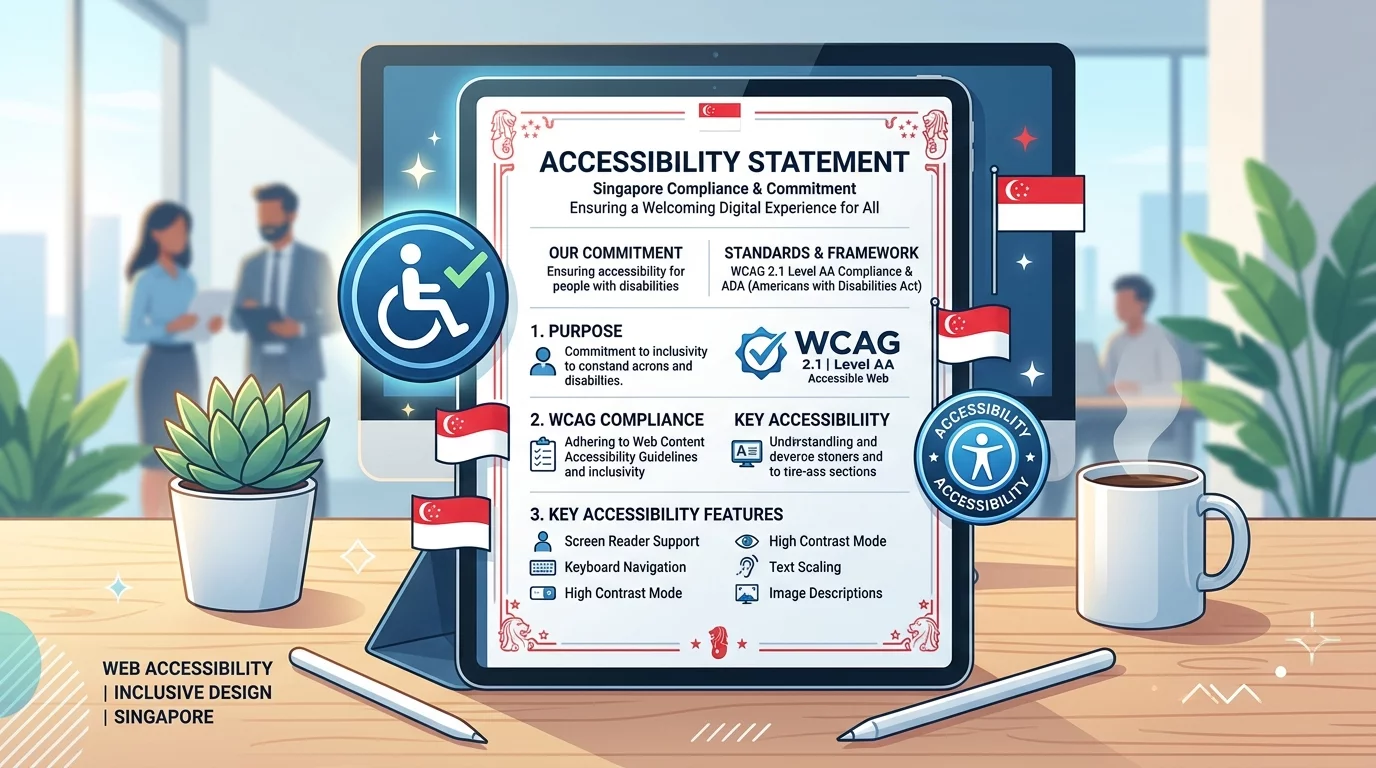
An Accessibility Statement is a public declaration on your website that explains how accessible your site is, what standards you follow, what barriers you know about, and how people can contact you if they encounter problems. It is not a one-time thing you write and forget. It should be a living document that you update whenever you make changes to your site. Think of it as a conversation with your visitors, particularly those who use assistive technologies like screen readers, keyboard navigation, or voice control software. The statement should be honest, specific, and actionable. Vague statements that say "we are committed to accessibility" without any detail are not useful. Your visitors deserve to know exactly where your site stands.
Step 1: Decide Which Accessibility Standard to Follow
The most widely recognised standard is the Web Content Accessibility Guidelines, commonly known as WCAG. These guidelines are published by W3C and are updated periodically. The current version that most organisations reference is WCAG 2.1, which was published in 2018. Level AA is the most commonly referenced level of conformance. When you publish your Accessibility Statement, you should state which version of WCAG you have tested against and which level you aim to meet. The three conformance levels are A (minimum), AA (standard), and AAA (enhanced). For most Singapore business websites, aiming for WCAG 2.1 Level AA is a reasonable and practical target. Some organisations also reference the IMDA ICT Accessibility Baseline, which aligns with international standards but adds specific requirements for the Singapore context.
Step 2: Audit Your Current Website
Before you can write your Accessibility Statement, you need to know where your site currently stands. You do not need to be a developer to do a basic audit. Start by testing a few key pages yourself. Try navigating your website using only your keyboard. Can you tab through menus, fill in forms, and click buttons without using a mouse? If you cannot, that is a problem. Try increasing your browser font size to 200 percent and see if the layout still works. Check whether your images have alt text by right-clicking on an image and looking for the alt attribute. Visit your website on a mobile phone to see if it is responsive. These simple checks will give you a rough idea of where you stand. For a more thorough audit, you can use free tools like WAVE or Accessibility Insights for Chrome. These tools will highlight areas of concern directly on your page. Remember that automated tools can only catch about 30 to 40 percent of accessibility issues. Human testing is essential, and you should ideally include people who use assistive technologies in your testing process.
Step 3: Document Known Barriers and Limitations
Your Accessibility Statement should be honest. If there are parts of your website that you know are not fully accessible, say so. Do not try to hide the problems. For each known issue, describe what the problem is, explain why it exists if relevant, and state when you expect to fix it. For example, you might write something like: "Our video content does not currently include captions. We are working with our content team to add captions by the end of this quarter." This level of honesty builds trust with your visitors. It also demonstrates that you are actively working on improvements rather than ignoring the issue. Do not list every minor issue in exhaustive detail, but do highlight the most significant barriers that users with disabilities might encounter. Common areas where websites fall short include images without alt text, videos without captions, forms without labels, links that use generic text like 'click here', and pages that do not work well with keyboard navigation.
Step 4: Describe the Steps You Have Taken
After documenting the problems, explain what you have already done to make your site more accessible. Mention specific measures you have implemented. For instance, you might say: "We have ensured that all images used in our product listings include descriptive alt text. Our contact form labels are programmatically associated with their input fields. We have tested our site's navigation to ensure it works with keyboard-only operation." Be as specific as possible. Generic statements like "we care about accessibility" do not carry weight. Concrete examples show that you have actually done the work. List the specific WCAG criteria you have addressed and explain how you did it. If you have engaged an external consultant or accessibility specialist to audit your site, mention that too. It adds credibility to your statement.
Step 5: Explain How Visitors Can Request Accessible Content or Report Issues
This is one of the most important parts of your Accessibility Statement. You need to give people a way to contact you if they cannot access something on your site. Provide multiple contact methods where possible. An email address is the minimum. A phone number is even better. State clearly what kinds of assistance you can offer. For example, you might say: "If you are unable to access any content on our website, please contact us at [email protected] or call us at +65 6123 4567 and we will provide the information in an accessible format within two business days." This is a commitment, so make sure you can actually follow through on it. When someone reports an accessibility issue, respond promptly, investigate the problem, and fix it as quickly as possible. Track these issues so you can see patterns and prioritise fixes.
Step 6: Include Your Feedback Process and Review Timeline
Accessibility is not a one-time project. It requires ongoing attention. In your statement, explain how you will review and update your accessibility efforts. Set a schedule for periodic reviews. Many organisations commit to reviewing their Accessibility Statement at least once a year or whenever they make significant changes to their website. State when your statement was last reviewed and when it will be reviewed again. This shows visitors that you take the statement seriously as a living document, not a box-ticking exercise. Also explain how you prioritise feedback. If someone reports an accessibility barrier, who handles that report? How quickly do you aim to respond? These details matter because they show that you have thought through the process and built accountability into your approach.
Step 7: Draft the Statement in Plain Language
Your Accessibility Statement should be easy to understand. Avoid jargon and technical terms wherever possible. If you need to use technical terms, explain them briefly. Remember that your readers may include business owners who are new to accessibility, as well as individuals with disabilities who have extensive experience with web accessibility. Strike a balance that serves both audiences. Use short sentences. Break up long paragraphs. Use bullet points for lists of features or issues. The document should be scannable so that someone can quickly find the information they need. Place the statement on a dedicated page and link to it from your footer so that it is accessible from every page on your site.
Step 8: Publish and Promote the Statement
Once you have drafted your Accessibility Statement, review it one more time for accuracy and completeness. Ask a colleague to read it and provide feedback. If possible, have someone with a disability review it to ensure it makes sense from a user's perspective. When you are satisfied, publish the statement on a dedicated page on your website. Add the link to your footer, your navigation menu, and your contact page. Many businesses also include a link in their privacy policy. Let your audience know that the statement exists by sharing it on your social media channels or in your newsletter. This is not just about compliance. It is about demonstrating that your business stands for inclusion and accessibility.
Step 9: Build Accessibility Into Your Ongoing Workflow
Writing an Accessibility Statement is an important first step, but it is only the beginning. Going forward, make accessibility part of your website management process. Before launching new pages or features, do a quick accessibility check. When working with web developers or designers, include accessibility requirements in your briefs. Ask them to test against WCAG 2.1 Level AA standards before any code is deployed. If you use a content management system like WordPress, Shopify, or Wix, explore the accessibility features and limitations of your chosen platform. Many popular platforms have built-in accessibility tools, but they still require configuration and ongoing attention. Training your content team to write alt text, use proper heading structures, and create accessible documents will go a long way in keeping your site inclusive as it grows.
Common Mistakes to Avoid
When writing your Accessibility Statement, there are several pitfalls to watch out for. First, do not copy a statement from another website without customising it for your own site. Generic statements that do not reflect your actual accessibility efforts are worse than having no statement at all. Second, do not overstate your conformance. If your site only partially meets WCAG 2.1 Level AA, say so. Claiming full conformance when you have not tested for it is misleading and could damage your reputation if someone calls you on it. Third, do not ignore feedback. If someone contacts you about an accessibility issue, treat it seriously and respond promptly. Finally, do not treat accessibility as a one-time project. Technology changes, your website evolves, and new content is added regularly. Your Accessibility Statement must evolve too.
Tools and Resources to Help You
Several free tools can help you audit and improve your website's accessibility. WAVE is a browser extension that evaluates your page directly in your browser and highlights accessibility issues with visual indicators. Accessibility Insights is another Chrome extension that guides you through a comprehensive assessment. Axe is a popular accessibility testing tool that integrates with your development workflow. For checking colour contrast, use the WebAIM Contrast Checker. For testing screen reader compatibility, NVDA is a free screen reader for Windows that you can use to test your site. The IMDA website also provides resources and guidelines specifically for Singapore businesses, including the ICT Accessibility Baseline document which is worth reading for context.
Writing an Accessibility Statement may feel like a small step, but it is one that has real impact. It tells your customers that you see them, that you value their experience, and that you are willing to do the work to include everyone. In a competitive online landscape, this kind of thoughtful detail can set your business apart. Start today, work through the steps above, and publish your statement. Then make it a habit to review and improve it regularly. Your website will be better for it, and so will the people who use it.
If you still need help, feel free to contact us at https://webcare.sg/contact for a free website health check.