Integrating CRM Data with Website Analytics for a Full Picture
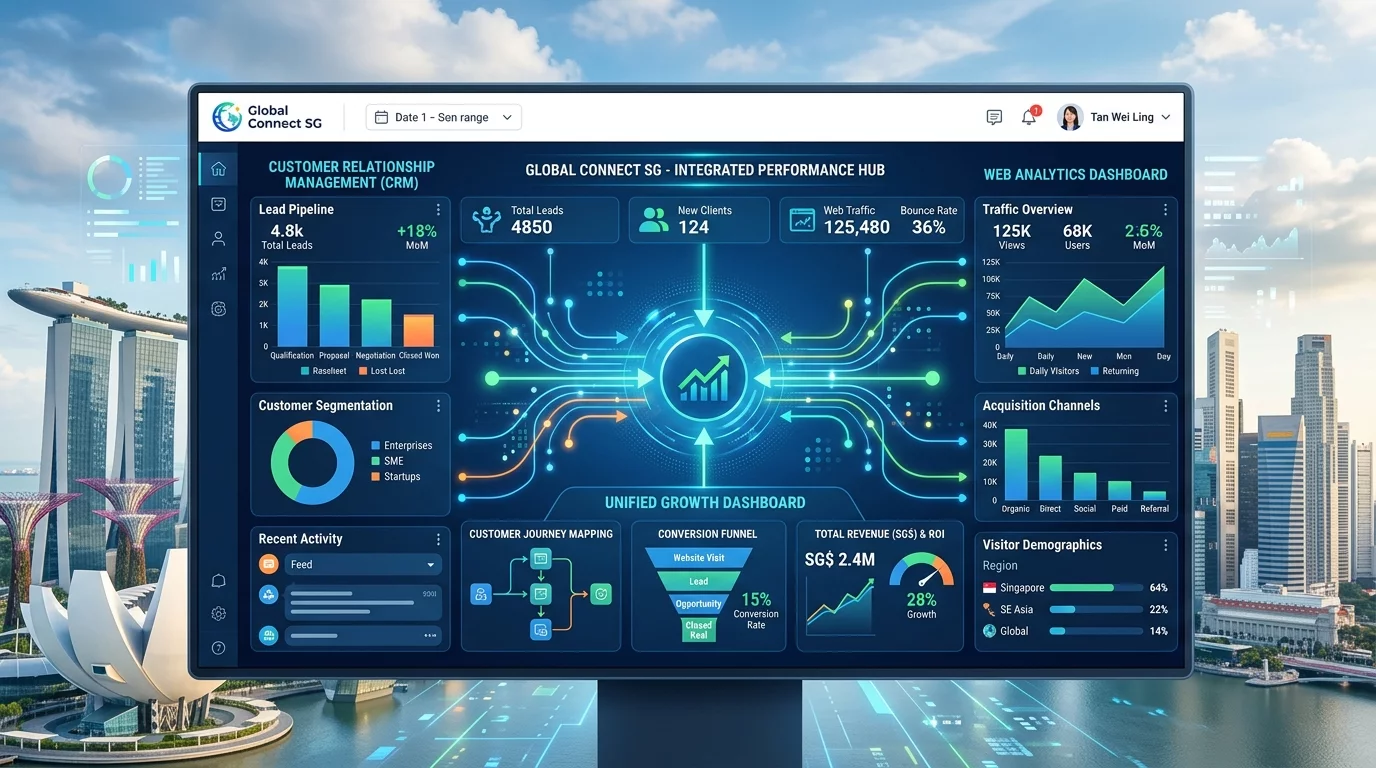
As a Singapore business owner, you probably use multiple tools to run your operations. You might have a CRM system to track your customers, Google Analytics to monitor your website traffic, and maybe even a separate tool for email marketing or e-commerce. The problem is that each of these tools holds a piece of the puzzle, but they do not talk to each other. When your CRM data stays locked away in one system and your website analytics lives in another, you end up making decisions based on incomplete information. You know how many people visited your website, but you do not know if those visitors are actually your existing customers or completely new leads. You know which pages are popular, but you cannot see if those pages are converting visitors into sales.
This disconnect costs you money and time. Without connecting your CRM data to your website analytics, you are essentially flying blind. You cannot see the full customer journey from first website visit to final purchase. You cannot identify which marketing efforts are actually bringing in paying customers versus window shoppers. You cannot personalise your website experience for different customer segments because you do not know who they are when they visit. For Singapore businesses competing in a crowded market, this is not a small disadvantage. It is the difference between spending your marketing budget wisely and wasting it on guesswork.
The good news is that integrating your CRM data with your website analytics does not require a degree in computer science. With the right guidance and a few straightforward steps, any business owner can connect these systems and start seeing the complete picture. This guide will walk you through the process step by step, using tools that are freely available or already part of most business workflows. By the end of this guide, you will understand how to bring your CRM and analytics data together so you can make better decisions about your website, your marketing, and your customers.
Why Integrating CRM Data with Website Analytics Matters for Your Singapore Business
Before we dive into the technical steps, let us talk about why this integration actually matters for your business. Imagine you run a physiotherapy clinic in Jurong. You have a website that gets about 500 visitors per month. You use a CRM to track your patients and their appointment history. You also use Google Analytics to see that 500 visitors came to your site. But what you do not see is whether those 500 visitors include your existing patients who are checking our services before booking another appointment, or whether they are entirely new potential patients who found you through Google search.
When you integrate your CRM with your website analytics, this changes completely. You can see that 150 of those 500 visitors are actually your existing patients. You can see that they spent more time on your booking page than on your service pages. You can identify that 50 visitors who filled out a contact form never converted into actual appointments. This information transforms how you allocate your marketing budget and how you design your website. Instead of guessing, you have actual data showing you exactly what different customer groups do on your website.
For Singapore businesses, this integration is especially valuable because the market is small and the cost of customer acquisition is relatively high. Every dollar you spend on Google Ads or social media marketing needs to work efficiently. When you can see which visitors are already in your CRM, you can create targeted campaigns for new prospects while also creating retention campaigns for existing customers. This not only saves you money but also helps you build stronger relationships with your customers by delivering the right messages at the right time.
Understanding the Basic Concepts Before You Start
Before you begin connecting systems, you need to understand a few basic concepts that will make the process much clearer. The first concept is the difference between first-party data and third-party data. First-party data comes from sources you own and control, such as your CRM system where you have direct relationships with your customers. Third-party data comes from external sources such as website analytics tools that track visitor behaviour without necessarily knowing who those visitors are as individuals.
The second concept is what we mean by a customer identifier. When a person visits your website for the first time, Google Analytics sees them as a random visitor with a randomly generated ID. That visitor could be anyone from a first-time prospect to your biggest existing customer. The magic of CRM integration happens when we can take that random visitor ID and match it to an actual person in your CRM. This matching typically happens through some form of login, a form submission where they provide their email, or a cookie that links their browsing behaviour to their CRM record.
The third concept is segmentation. Once you can identify different types of visitors on your website, you can group them into segments. For example, you might have segments for existing customers, new leads, abandoned cart visitors, or people who visited your pricing page but never contacted you. Each segment requires a different marketing approach, and your CRM integration makes these segments possible. Without knowing who your visitors are, you cannot effectively segment them, and without segmentation, your marketing becomes a guessing game.
Step 1: Choose Your CRM and Analytics Platforms
The first practical step in this integration process is making sure you have the right tools in place. Most Singapore businesses will already have some combination of these tools, but let us review what options work best for each category. For CRM systems, popular choices among Singapore small businesses include HubSpot, Salesforce, Zoho CRM, and even simpler tools like Google Sheets with proper structure. Each of these has different capabilities and pricing, but all can work with website analytics integration.
For website analytics, Google Analytics 4 is the most common choice and it is free. It offers powerful built-in features for connecting with Google Ads and Google Tag Manager. Alternative analytics platforms include Matomo for those who prefer to host their own analytics data, and Fathom for a simpler privacy-focused approach. Microsoft Clarity is another free option that offers free heatmaps and session recordings alongside standard analytics. For most Singapore business owners, Google Analytics 4 is the best starting point because it is free, widely supported, and integrates easily with most other Google tools.
If you are starting from scratch, the most practical combination for a small Singapore business is Google Analytics 4 for website analytics, paired with HubSpot or Zoho CRM for customer management. Both HubSpot and Zoho offer free tiers that are functional enough for small businesses to get started. Once you have these two systems in place, you can move on to connecting them together. The specific platform choices matter less than making sure you actually have a CRM and analytics system set up properly first.
Step 2: Set Up User ID Tracking in Google Analytics 4
Once you have your CRM and analytics platform ready, the next step is to enable user ID tracking in Google Analytics 4. This is the foundation that allows you to connect anonymous website visitors to known people in your CRM. User ID tracking works by assigning a unique identifier to each person who logs into your website or submits a form. When that person visits your site again, Google Analytics can recognise them and connect their browsing behaviour to their CRM record.
To set up User ID tracking in Google Analytics 4, you need to access your GA4 property settings and enable the User ID feature. Log into your Google Analytics account and navigate to the admin section. Click on Data Streams and select your website data stream. You will see an option for User-ID. Toggle it to enable this feature. Do not worry about the technical details right now. The key thing to understand is that by enabling this feature, you are telling Google Analytics to start collecting user IDs when they are available.
The next part of this setup requires adding some code to your website to actually pass the user IDs to Google Analytics. If you are using a platform like WordPress with a plugin for Google Analytics, check if that plugin supports User ID tracking. Many popular Google Analytics plugins for WordPress have a simple checkbox to enable this feature. If you are using Google Tag Manager, you can set up a User ID variable and pass it to your GA4 configuration tag. The exact steps vary depending on your website platform, but the basic principle is the same: your website needs to capture the logged-in user's ID and send it to Google Analytics.
For visitors who are not logged in, you cannot collect their user ID at this stage. That is perfectly normal and expected. The goal is to capture user IDs for as many of your visitors as possible, starting with those who have existing relationships with you. Over time, as more of your customers interact with your website while logged in or after form submissions, your data will become richer and more useful.
Step 3: Link Your CRM Data Through Google Tag Manager
Google Tag Manager acts as a central control centre for all the tracking codes on your website. It allows you to add and manage tags for Google Analytics, Facebook Pixel, conversion tracking, and other tools without needing to edit your website code directly. By using Google Tag Manager as an intermediary, you can also send CRM data to Google Analytics in a clean and organised way.
The first thing you need to do is make sure Google Tag Manager is installed on your website. If you do not already have it, create a free Google Tag Manager account and install the container code on your website. Most content management systems have simple plugins or instructions for adding the Google Tag Manager code. Once it is installed, you can use the Google Tag Manager interface to manage all your tracking without touching your website code again.
Next, you need to create a way to capture user information from your website forms and pass it to Google Tag Manager. When someone fills out a contact form on your website, that form typically captures their name, email, phone number, and other details. You can use Google Tag Manager to listen for form submissions and capture the data entered into those forms. This is done through something called a form submission trigger, combined with variables that capture the form field values.
Once you have captured this form data in Google Tag Manager, you can then use it to populate user-scoped custom dimensions in Google Analytics. User-scoped custom dimensions allow you to attach additional information to each user session. For example, you can create a custom dimension called "CRM_User_ID" and another called "Customer_Segment." When a known user visits your site, the values for these dimensions get set from the form submission data or login information. Over time, you will build up a picture of who your visitors are and which CRM segments they belong to.
Step 4: Create CRM Segments for Better Analysis
With your user ID tracking in place and your form data flowing into Google Analytics, you can now create meaningful segments in your CRM that you can also use in your analytics. The goal is to categorise your CRM contacts into groups that make sense for your business, and then be able to see how those groups behave on your website.
Start by defining your CRM segments based on your business model. Common segments for Singapore businesses include new leads, which are people who have shown interest but have not made a purchase, existing customers who have bought from you before, hot prospects who have engaged significantly with your website, and inactive customers who have not purchased or engaged in a specified period. These are general categories, and you should adjust them to fit your specific business context. A dental clinic might have segments for new patient enquiries, existing patients due for recall appointments, and patients who have not returned for over six months.
For each segment, you need to define what actions or criteria place someone into that segment. In your CRM, this is done through what are called segments, lists, or groups depending on which CRM platform you use. In HubSpot, you would create lists based on contact properties and actions. In Zoho CRM, you would use similarity rules or custom functions. The exact mechanism varies by platform, but the principle is the same: you are creating categories that group your customers based on their behaviour and attributes.
Once your segments are defined in your CRM, you need to make sure that information is available when those contacts interact with your website. This typically requires your CRM to share segment data with your website analytics. Some CRM platforms have direct integrations with Google Analytics that make this seamless. For others, you might need to use a middleware approach or rely on the form submission data to carry segment information. The key principle is that when a contact in your CRM segment visits your website, that segment information should be attached to their analytics session.
Step 5: Build Custom Reports in Google Analytics
Now that your data is flowing together, the fun part begins: building custom reports that give you actual insights. Standard Google Analytics reports are useful for understanding overall website traffic, but they do not tell you anything about who your visitors are. Custom reports allow you to slice and dice your data by the CRM segments you have created, revealing patterns and opportunities you would never see in standard reports.
To create a custom report in Google Analytics 4, navigate to the Explore section and start a new exploration. You can create different types of explorations depending on what you want to understand. A free form exploration lets you drag and drop different dimensions and metrics to create custom views. For example, you could look at page views broken down by customer segment to see which pages are most popular among different types of visitors.
Some particularly useful reports to build include a segment comparison report that shows you how new leads behave differently from existing customers on your website. This can reveal that new leads tend to spend more time on your about page while existing customers go directly to your booking or purchase pages. Another useful report is a conversion path report that shows you the typical journey different customer segments take through your website before converting. This helps you understand what content and calls to action are most effective for each segment.
You should also build a report that tracks engagement by segment over time. This shows you whether your existing customers are becoming more or less engaged with your website, which can be an early warning sign for customer churn. For new leads, you can track how quickly they move through your sales funnel from first website visit to first purchase. These reports give you actionable insights rather than just vanity metrics, and they directly inform your marketing and website decisions.
Step 6: Use the Data to Make Better Business Decisions
Having data is valuable, but using it to make better decisions is where the real value lies. With your CRM integrated with your website analytics, you now have the ability to make evidence-based decisions about a wide range of business activities. Let us look at some specific ways Singapore business owners can use this integrated data.
First, look at your marketing budget allocation. If you can see that existing customers who are already in your CRM convert at three times the rate of unknown visitors, you might decide to shift budget towards retention marketing rather than purely acquisition marketing. Conversely, if new visitors convert at a higher rate than repeat visitors, that tells you your acquisition efforts are working well and you should maintain or increase that spending. These are not guesses. They are data-driven decisions backed by actual behaviour data from your website.
Second, use the data to personalise your website experience for different segments. If you know that hot prospects who have visited your pricing page multiple times are very likely to convert, you could display a special offer or urgency message when those visitors return to your site. If you know that existing customers rarely visit your blog, you might decide to surface blog content less prominently for them and focus on product or service update pages instead. Personalisation becomes possible when you have segment data attached to each visitor.
Third, identify at-risk customers before they slip away. If you can see that customers who have not visited your website in 60 days have a high probability of not returning, you can proactively reach out to them with a win-back campaign. Your CRM integration gives you this early warning capability. Similarly, if you can identify leads who visited your booking page but never converted, you can trigger a follow-up reminder through your CRM to contact those prospects.
Fourth, improve your product or service offerings based on what different segments actually want. If customers in a specific segment consistently spend time on pages about a particular service but that service is buried deep in your navigation, moving it to a more prominent position could increase conversions. If you notice that mobile users from a particular segment have high bounce rates on your booking page, that might indicate a usability problem worth fixing.
Common Mistakes to Avoid During Integration
As you work through this integration process, there are several common mistakes that can undermine your efforts. Understanding these mistakes in advance helps you avoid them and save time. The first mistake is trying to do everything at once. CRM integration with website analytics is a journey, not a single project. Start with the basics, get them working reliably, and then add complexity gradually. Many business owners get overwhelmed trying to set up perfect tracking for everything on day one, and they end up with nothing working properly.
The second mistake is ignoring data quality. Your integrated data is only as good as the data going into it. If your CRM records are incomplete with many contacts missing email addresses or having incorrect information, your integration will inherit these problems. Before you worry about advanced integration techniques, spend time cleaning up your CRM data. Remove duplicates, fill in missing information, and standardise how data is entered. Good data in means good insights out.
The third mistake is not documenting what you have set up. As you create custom dimensions, segments, and tracking rules, write down what each one means and why you created it. This documentation is invaluable when you need to troubleshoot problems or when someone else needs to work with your analytics setup. Without documentation, you will forget the logic behind your configurations within months, making future updates much more difficult.
The fourth mistake is setting up tracking that violates privacy regulations. Singapore follows the Personal Data Protection Act, which requires that you inform visitors about data collection and obtain consent where necessary. When tracking individual users across your website, make sure you have a clear privacy policy explaining this practice, and ensure you have obtained appropriate consent through your cookie banner or login process. Compliance is not optional and violating it can result in significant penalties.
Tools and Resources to Help You Get Started
There are many tools available that can make this integration process easier, even if you are not technically inclined. Google Data Studio, now called Looker Studio, is a free tool that lets you create visual dashboards combining data from multiple sources including Google Analytics and CRM platforms. You can create beautiful reports that show your website analytics and CRM data side by side without needing any coding skills.
For CRM platforms, HubSpot offers a free tier with built-in Google Analytics integration capabilities that can get you started without any cost. Their workflows feature lets you automate actions based on website behaviour, such as sending a follow-up email when a contact visits your pricing page a certain number of times. Zoho CRM similarly offers integration options and a free tier for small businesses. Both platforms have extensive documentation and community forums where you can find setup guides specific to your situation.
If you are using WordPress, plugins like MonsterInsights can simplify the Google Analytics integration process and provide user-friendly interfaces for setting up features like user ID tracking and custom dimensions. For e-commerce businesses using Shopify or WooCommerce, built-in analytics and CRM integrations are often simpler to set up since these platforms have pre-built connections with common analytics tools.
For those who prefer video tutorials, YouTube has thousands of free tutorials covering every aspect of Google Analytics, Google Tag Manager, and CRM integrations. Search for specific tasks like how to set up User ID tracking in GA4 or how to connect HubSpot to Google Analytics, and you will find step-by-step videos that walk you through each process. These resources are particularly valuable because they show you exactly what each step looks like in the actual interface.
Measuring the Success of Your Integration
Once your CRM and website analytics integration is up and running, you need a way to measure whether it is actually delivering value. The most important metric to track is whether your decision-making quality has improved. Are you making more confident decisions about marketing spend? Are you able to justify website changes with data rather than opinions? Are you seeing actual improvements in conversion rates or customer retention? These business outcomes matter more than the technical success of your integration.
On a more tactical level, you should monitor specific metrics related to your integration health. Track the percentage of your website sessions that have a identified user attached to them. If you are below 20 percent identified sessions, you may need to improve your form submissions or login flows to capture more user IDs. Monitor your data for consistency, checking periodically that the numbers in your CRM match what you are seeing in your analytics reports.
Set up a regular review schedule, whether weekly or monthly, to examine your integrated data and look for insights. The value of this integration compounds over time as you accumulate more data and develop a clearer picture of your customer journeys. Do not set up the integration and then forget about it. Treat it as an ongoing process of refinement and improvement that continuously informs your business decisions.
If you still need help, feel free to contact us at https://webcare.sg/contact for a free website health check.
Related WebCare Solutions

5 Must-Do Website Maintenance Tasks Every Month
A comprehensive guide to essential monthly website maintenance tasks, including backups, updates, and security scans, to ensure optimal performance and security.
Set Up A/B Testing with Google Optimize Alternatives and Measure Results
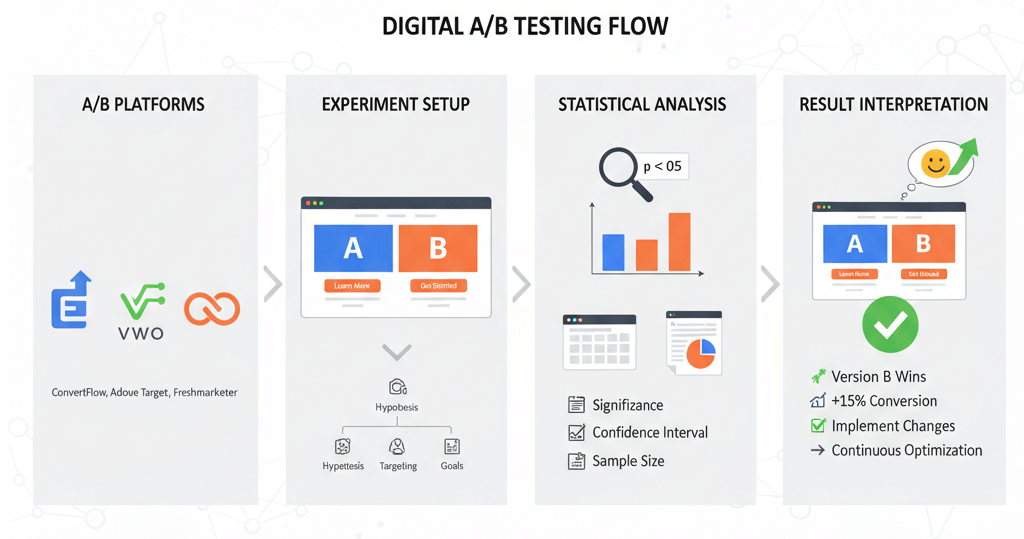
A practical guide to setting up and measuring A/B tests using popular tools, understanding statistical basics, and interpreting results to make data-driven decisions.

How to Choose the Right Web Design Agency in Singapore
Selecting the right web design agency in Singapore is crucial for your online success. This guide outlines key factors to consider, ensuring you partner with an agency that meets your business needs and delivers exceptional results.
Ready to get started?
Focus on your business while we fix your website. Contact WebCareSG today for fast, reliable solutions!
Whatsapp us on