If you have ever tried to edit your own website and felt frustrated by the technical side of things, you are not alone. Many Singapore business owners start out relying on web developers for every small change, and this can become expensive and time-consuming over time. Page builders were created to solve this problem. They give you a visual way to build and edit your website without needing to write code. But with so many options available, how do you know if a page builder is the right choice for your business?
In this guide, we will walk you through exactly what a page builder is, the most popular options like Elementor and WPBakery, the benefits and drawbacks of using one, and how to decide whether you should stick with one or hire a developer instead. By the end, you will have a clear understanding of whether a page builder fits your needs.
What Exactly Is a Page Builder?
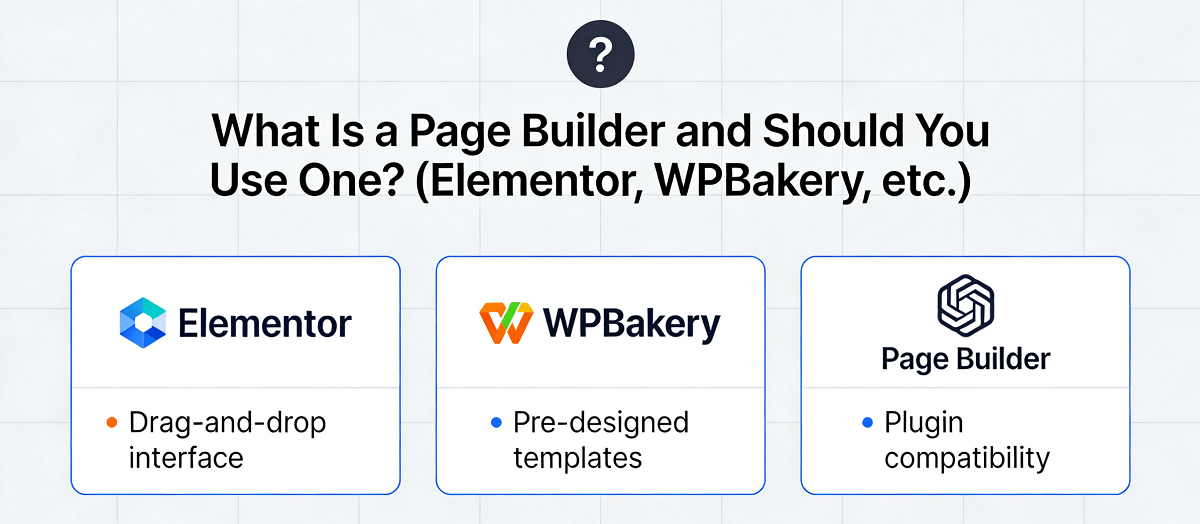
A page builder is a tool, usually a plugin or part of a website platform, that lets you create and edit web pages using a visual drag-and-drop interface. Instead of writing HTML and CSS code, you simply drag elements like buttons, images, text boxes, and columns onto your page and arrange them the way you want. It is a bit like designing a document in Microsoft Word, but the result is a live website that people can visit online.
Think of it like using a template in Canva. You have pre-made pieces that you can move around, and the tool handles the technical heavy lifting in the background. This makes website design accessible to people who have never studied web development.
The most common page builders in the WordPress ecosystem are Elementor, WPBakery (formerly Visual Composer), Divi, and Beaver Builder. Each has its own strengths and weaknesses, which we will cover shortly.
Why Singapore Business Owners Are Drawn to Page Builders
Singapore has a thriving small and medium business scene, and many of these business owners wear multiple hats. You might be managing inventory, handling customer enquiries, and trying to grow your business all at the same time. When you need to update your website, waiting for a developers availability can slow you down.
Page builders offer a faster alternative. If you want to change a promotional banner, add a new service page, or update your contact information, you can do it yourself in minutes rather than waiting days for a developer to make the change. This saves time and money, which is why many business owners find page builders attractive.
Another reason page builders are popular is cost. Hiring a web developer in Singapore for ongoing changes can cost anywhere from SGD 100 to SGD 300 per hour, and even simple updates can take an hour or two. With a page builder, you pay a one-time or annual fee and handle updates yourself at no extra cost.
The Most Popular Page Builders Explained
Elementor
Elementor is currently the most popular page builder for WordPress websites worldwide, and it is widely used in Singapore. It offers a free version with basic features and a paid version called Elementor Pro that unlocks more advanced capabilities like custom widgets, theme building, and marketing integrations.
One of the reasons Elementor is so popular is its intuitive interface. When you open the editor, you see your page laid out on the left and a sidebar with widgets on the right. You click on an element to add it to your page, then drag it to position it wherever you want. The editor also shows a live preview of your changes, so you can see exactly what your visitors will see.
Elementor also has a large library of pre-made templates that you can use as a starting point. Whether you need a landing page, an about us page, or a contact form, you can find a template and customise it to match your brand. This is especially helpful if you are starting from scratch and do not have a design background.
However, Elementor has its drawbacks. Because it adds extra code to your website, it can slow down your page load times if not optimised properly. The free version is limited, and the paid version costs around USD 59 per year for one site, which adds up if you manage multiple websites. Additionally, because Elementor is so widely used, your website may look similar to others that use the same templates.
WPBakery Page Builder
WPBakery Page Builder, formerly known as Visual Composer, is another long-standing option in the WordPress space. It was one of the first drag-and-drop page builders available, and many themes and websites still use it today.
WPBakery works similarly to Elementor in that it offers a visual editor with drag-and-drop functionality. However, its interface tends to feel less modern and intuitive compared to newer builders. Some users find the backend editor a bit clunky, especially when working on complex layouts.
One advantage of WPBakery is that it is often included with premium WordPress themes, so you may not need to purchase it separately. However, this can also be a disadvantage because the bundled version may be a stripped-down version with limited features.
WPBakery also has a frontend editor, which lets you make changes directly on the visible page rather than in a separate editing mode. This can be helpful for quick adjustments, though some users find the switch between backend and frontend modes confusing.
In terms of performance, WPBakery is generally lightweight, but because it has been around for many years, some of its underlying code is outdated. If you are using an older version, you may run into compatibility issues with newer WordPress updates.
Divi
Divi is a premium page builder developed by Elegant Themes. Unlike Elementor and WPBakery, Divi is not sold as a standalone plugin but rather as part of an annual subscription that includes all Elegant Themes products.
Divi is known for its visual editing experience. Its builder feels smooth and responsive, and it includes a vast library of pre-made layouts that can be imported with a single click. The split-testing feature lets you create different versions of a page and see which one performs better, which is useful for marketing purposes.
One standout feature of Divi is its theme builder, which lets you control the design of your entire website, not just individual pages. You can create custom headers, footers, archive pages, and more without touching code. For business owners who want full control over their sites appearance, this is a significant advantage.
The downside is that Divi is only available through an annual subscription, costing around USD 89 per year for one site. There is no free version, so you need to commit before trying it out. Divi also generates a large amount of code, which can affect website speed if you are not careful about optimisation.
Beaver Builder
Beaver Builder is a lightweight page builder that prioritises simplicity and performance. It is a premium plugin with a straightforward interface that beginners find easy to learn. Unlike some page builders that try to do everything, Beaver Builder focuses on being reliable and fast.
Beaver Builder is particularly popular among developers because it generates clean, semantic code that is easy to maintain. If you are working with a developer, they will likely appreciate using Beaver Builder because it does not clutter the codebase with unnecessary markup.
One limitation of Beaver Builder is that its template library is more limited than competitors like Elementor or Divi. You have fewer pre-made designs to choose from, which means more work if you are building from scratch. However, the paid version does include a decent collection of layouts for landing pages, about pages, and more.
Should You Use a Page Builder? A Simple Framework for Singapore Business Owners
Now that you understand the main options, let us talk about how to decide whether a page builder is right for your situation. Here are the key questions you should ask yourself.
1. Do You Need to Make Frequent Updates Yourself?
If you find yourself needing to change your website content often, such as updating promotions, adding new portfolio items, or changing pricing, a page builder can save you significant time and money. Rather than emailing a developer for every small change, you can log in and make the update yourself in a few minutes.
On the other hand, if your website is mostly static and you rarely need to make changes, a page builder may be overkill. You could save money by using a simpler setup and relying on a developer only when absolutely necessary.
2. Do You Have Time to Learn a New Tool?
Page builders are designed to be user-friendly, but they still require a time investment to learn. You will need to spend a few hours getting comfortable with the interface, understanding how to structure layouts, and figuring out how to optimise your pages for speed.
If you are already stretched thin with running your business, adding another tool to learn might not be the best use of your time. In that case, it might make more sense to budget for a developer who can make changes quickly and correctly the first time.
3. Is Website Performance Important to You?
Page builders can affect your website loading speed, especially if you use many elements or install multiple plugins. In Singapore, internet speeds are among the fastest in the world, but your customers may be browsing on mobile connections while commuting or visiting your site on the go.
If your business relies on fast load times for conversions, such as an e-commerce store or a landing page for a time-sensitive campaign, a page builder may not be the best choice without careful optimisation. In contrast, if your website is primarily informational and speed is less critical, a page builder is likely fine.
4. Do You Need Advanced Customisation or Custom Code?
While page builders offer a lot of flexibility, there are limits to what you can do without code. If your business requires unique functionality that cannot be achieved with standard widgets, you may eventually need a developers help anyway.
However, most standard business websites can be built entirely with a page builder. Things like service pages, contact forms, photo galleries, team profiles, and promotional sections can all be created without touching code using popular page builders.
5. Are You Comfortable With the Ongoing Costs?
Page builders typically involve ongoing costs. Elementor Pro costs around USD 59 per year per site. Divi costs around USD 89 per year. These costs add up if you manage multiple websites. Additionally, you may need to budget for premium themes, additional plugins, and possibly developer assistance if you run into issues.
Before committing to a page builder, calculate whether the savings from doing updates yourself outweigh the annual costs of the software. If you only make a few changes per year, it may be more cost-effective to pay a developer as needed.
Step-by-Step: Getting Started With a Page Builder
If you have decided that a page builder is right for you, here is how to get started.
Step 1: Check your current website setup. If your website is already on WordPress, log in to your dashboard and see what page builder, if any, is currently installed. You can usually find this under the Plugins section. If you do not have WordPress yet, you will need to set it up with a hosting provider. Popular Singapore hosting providers that support WordPress include SiteGround, Bluehost, and Hostinger.
Step 2: Choose a page builder that fits your needs. Based on the overview above, select the page builder that aligns with your requirements. If you want the most popular option with good templates, start with Elementor. If you want something lightweight and developer-friendly, try Beaver Builder. If you want comprehensive design control and do not mind paying a subscription, Divi is a strong choice.
Step 3: Install the page builder plugin. In your WordPress dashboard, go to Plugins, click Add New, and search for your chosen page builder. Click Install and then Activate. For Elementor, you will see a Getting Started wizard that guides you through the initial setup. Follow the prompts to create your first page.
Step 4: Start with a template. Do not try to build a page from scratch unless you have design experience. Instead, choose a pre-made template that is close to what you need. Modify the text, images, and colours to match your brand. This gives you a professional-looking result without needing design skills.
Step 5: Optimise your pages for speed. Once you have built your pages, run a speed test using Google PageSpeed Insights or GTmetrix. If your scores are low, you can optimise by limiting the number of elements on each page, using lazy loading for images, and minifying CSS and JavaScript files. Many page builders have built-in performance settings you can enable.
Step 6: Publish and monitor. When you are happy with your page, click Publish. Monitor your website performance over the next few weeks to ensure everything is working correctly. Keep an eye on your Google Analytics to see if page speed affects your bounce rate or conversion rate.
Common Pitfalls to Avoid
Page builders are powerful tools, but they come with some common mistakes that new users often make.
Using too many elements on one page. It can be tempting to add lots of widgets, animations, and images to make your page look impressive, but this often leads to slow loading times. Keep your pages focused and remove anything that does not serve a clear purpose.
Ignoring mobile responsiveness. Always preview your pages on mobile devices. Some elements that look good on a desktop may break or look awkward on smaller screens. Most page builders let you edit the mobile version separately, so take advantage of that to ensure a good experience for all visitors.
Not updating your page builder. Page builders release updates regularly to fix bugs, close security gaps, and add new features. Make sure you update your page builder when a new version is available. Before updating, back up your website in case something goes wrong.
Relying on too many third-party plugins. Page builders often integrate with other plugins for things like forms, pop-ups, and marketing tools. Too many plugins can slow down your site and create conflicts. Only install plugins that you actively use and remove the ones you do not need.
When to Hire a Professional Instead
There are situations where a page builder is not the best solution. If your business has unique requirements that cannot be met with standard widgets, a custom-coded website may be necessary. If you have a very tight timeline and need a complex site built quickly, an experienced developer may be faster than learning a page builder from scratch.
If your website has performance issues that you cannot resolve on your own, or if you are experiencing errors and crashes that disrupt your business, it may be time to bring in a professional. A web developer can troubleshoot issues that are difficult to fix without technical knowledge.
In Singapore, you can find qualified web developers and agencies through platforms like Freelancer, Upwork, or by asking for recommendations in business communities like the Singapore Business Network on LinkedIn. Before hiring, ask for examples of their previous work and check reviews from past clients.
The Bottom Line
Page builders like Elementor, WPBakery, Divi, and Beaver Builder have transformed the way Singapore business owners manage their websites. They make it possible to update your own site without waiting for a developer, which saves time and money in the long run.
However, page builders are not the right choice for everyone. They require a time investment to learn, they can affect website performance if not optimised properly, and they come with ongoing subscription costs. Before committing to a page builder, honestly assess your needs, your available time, and your budget.
If you decide to use a page builder, start simple. Choose clean templates, avoid overloading your pages with elements, and always test your site on mobile devices. As you become more comfortable, you can explore more advanced features and customise your site further.
And remember, if you ever feel stuck or unsure about whether a page builder is the right choice for your business, you can always reach out for help. Making the wrong decision early on can lead to wasted time and money, so it is worth getting a second opinion before investing in a new tool.
If you still need help, feel free to contact us at https://webcare.sg/contact for a free website health check.