Search on Site Returns No Results or Wrong Items
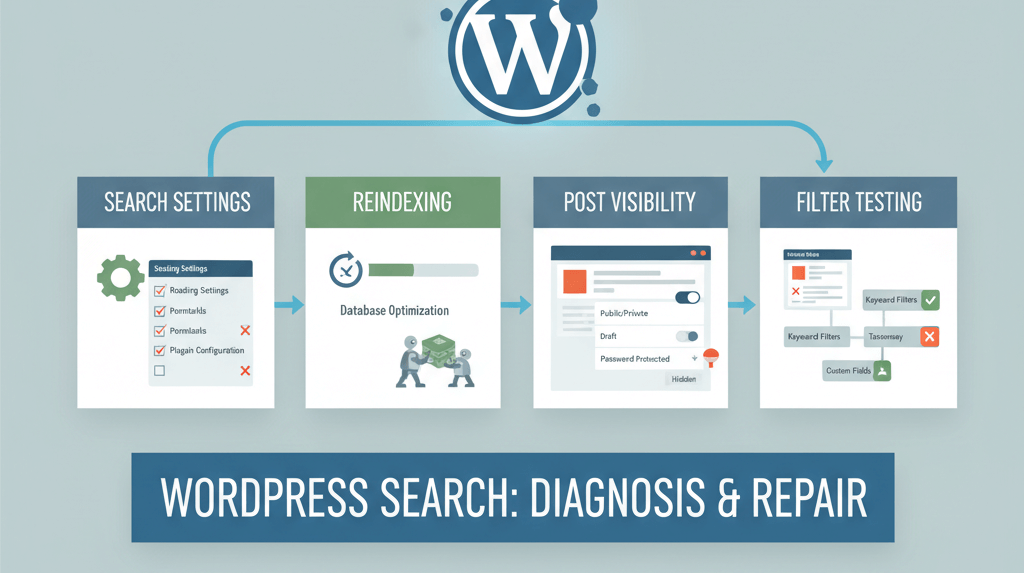
There's nothing more frustrating than trying to find something on a website only to be met with a "No results found" message. As a website owner, this means your visitors are failing to find the content they are looking for, which can lead to a poor user experience and a high bounce rate. The default WordPress search function is often limited, but when it fails completely, the problem can lie in a variety of places, from a plugin conflict to a misconfigured setting. This guide will provide a practical, step-by-step checklist to help you diagnose and fix a broken site search, ensuring your visitors can always find the content they need. This is a crucial skill for any website owner to have, and it's a common problem you will encounter after you have optimized your website with a guide like how to update your website without breaking it.
Step 1: The Simple Fixes (Check Settings and Post Status)
Before you dive into the more technical solutions, start with the simplest checks. A common cause of a broken search is a minor misconfiguration or a simple oversight. This is similar to how you would fix other issues with your website's forms, such as a contact form not working.
- Check Your Reading Settings: Go to Settings > Reading in your WordPress dashboard. Ensure that "Discourage search engines from indexing this site" is not checked. While this primarily affects search engines, some search plugins may use this setting to determine what to index.
- Check Post Visibility: Ensure that the posts and pages you want to be searchable are not set to "Private" or "Password Protected." Posts in a draft status will also not appear in search results.
- Review Your Permalinks: Go to Settings > Permalinks and click "Save Changes" to regenerate your `.htaccess` file. This can often fix simple redirect and query string issues that may be affecting your search. This is a key part of your server maintenance checklist.
Step 2: Troubleshoot Search Plugins and Reindex
If you are using a dedicated search plugin (like Relevanssi, SearchWP, or ElasticPress), a failed search is often a sign that the plugin's index is out of date or corrupted. The solution is to reindex your content.
- Reindex Your Content: Go to your search plugin's settings page and look for a button to "Rebuild Index" or "Reindex." This process can take a few minutes, depending on the size of your website.
- Check Plugin Settings: Review your search plugin's settings to ensure that you are including all the content types you want to be searchable (e.g., posts, pages, custom post types). For a more in-depth look, check out our guide on fixing common tracking issues.
Step 3: Test for Plugin Conflicts
If the first two steps don't work, a plugin conflict may be the culprit. A conflict can occur when two plugins try to perform the same function or when a plugin's code is incompatible with another. This is similar to how you would troubleshoot a blank homepage.
- Disable Plugins One by One: Deactivate all your plugins and try searching your website again. If the search works, you know a plugin was the cause. You can then reactivate them one by one, testing the search after each reactivation, until you find the culprit.
- Check Your `.htaccess` File: If you're not using a plugin for search, your `.htaccess` file may have a rule that is affecting your search queries. This is a key step in a redirect loop as well. You can back up your `.htaccess` file and replace it with a fresh one to rule out any issues.
When to Call the Experts
While these steps will fix most site search issues, some problems can be more complex. If you have a highly customized website, are dealing with a complex database structure, or are unable to find the culprit, it is time to call in a professional. An expert can diagnose complex issues, such as a misconfigured database or a malicious script, and ensure your website is fixed without any data loss. This is a clear example of a situation where DIY website fixes can make things worse and is one of the clearest 5 signs you need professional help to fix your website.
If you’re still having trouble, don’t worry! WebCare SG is here to help. Contact us today for fast and reliable website fixes.
Related WebCare Solutions

Why Your Website Needs to be Accessible (It's More Than Just a Trend)
Web accessibility is no longer optional. Learn why making your website usable for people with disabilities expands your audience, enhances your brand's reputation, and even boosts your SEO. Get a simple checklist to start making your site inclusive today.
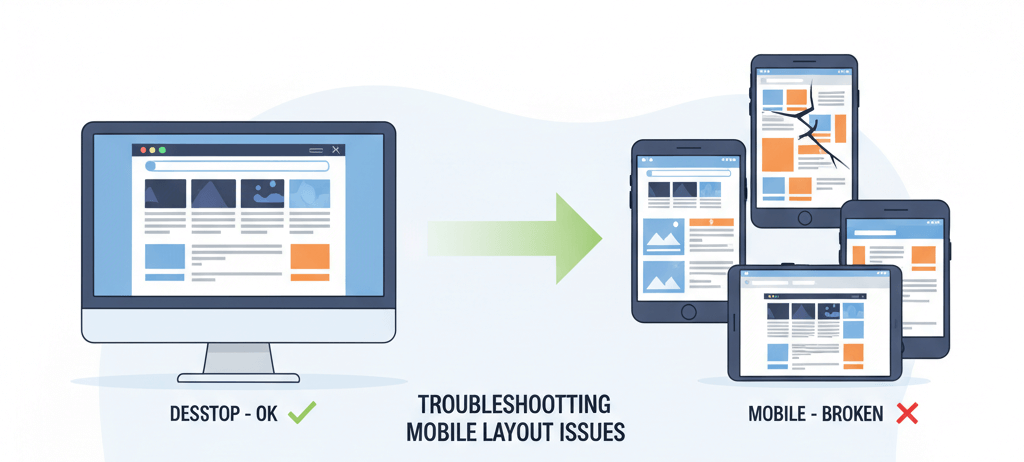
Mobile Layout Looks Wrong but Desktop is Fine: A Responsive Design Troubleshooting Guide
Inspect responsive breakpoints, viewport meta tag, mobile-specific CSS, and plugin/theme mobile settings causing layout shifts.
How to Identify and Clean Malware from Your WordPress Website
Learn the essential steps to clean up malware from your WordPress site and secure it for the future. A practical guide for website owners.
Ready to get started?
Focus on your business while we fix your website. Contact WebCareSG today for fast, reliable solutions!
Whatsapp us on