Setting Up Cross-Sells and Upsells Without Annoying Customers
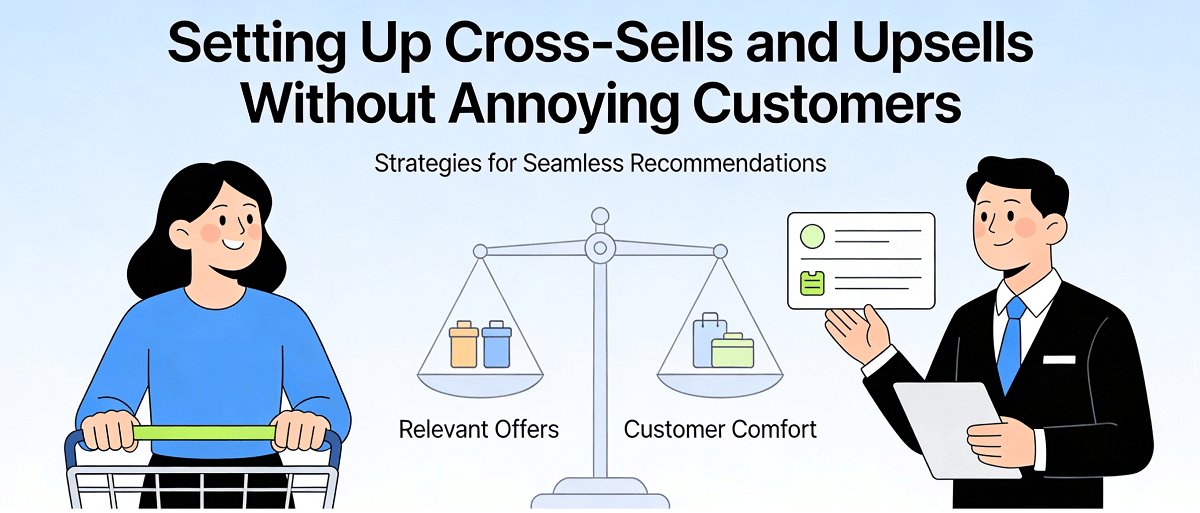
If you run an online store in Singapore, you have probably thought about ways to increase your average order value. One of the most effective methods is to show customers additional products that complement what they are already buying. This technique goes by names like cross-selling and upselling, and when done correctly, it can significantly boost your revenue without making customers feel pressured or annoyed.
But here is the problem many Singapore business owners face: they implement cross-selling and upselling in clumsy ways that actually hurt their sales. Pop-ups that suddenly appear asking customers to buy completely unrelated items. Too aggressive "you might also like" suggestions that make customers uncomfortable. Product recommendations that confuse rather than help customers. In this article, I will walk you through step-by-step how to set up cross-selling and upselling correctly without annoying your customers or making them want to abandon their purchase.
Understanding the Difference Between Cross-Selling and Upselling
Before we dive into the technical details, you need to understand the difference between these two terms because many store owners use them interchangeably.
Upselling is when you convince a customer to purchase a more premium or expensive version of the product they are already considering. For example, if someone is looking at a basic laptop bag, an upsell would be suggesting a premium leather laptop bag instead. The key to effective upselling is that the upgraded product provides real additional value that justifies the higher price.
Cross-selling is when you recommend additional products that are related to what the customer is currently looking at. For example, if a customer is looking at a laptop, cross-selling might be recommending a laptop stand, a wireless mouse, or a pair of headphones. The goal of cross-selling is to enhance the customer's experience with their purchase, not just to add more items.
Why Proper Upselling and Cross-Selling Matters for Singapore Businesses
In Singapore's competitive e-commerce environment, the cost of acquiring customers keeps rising. Maximizing the value of each order through upselling and cross-selling can significantly improve your profitability without spending more on advertising.
Research shows that successful upselling and cross-selling can increase revenue by 10-30% per order. But more importantly, when these techniques are properly implemented, they can actually improve customer experience. Customers appreciate discovering relevant products they would not have otherwise considered. This builds trust and encourages repeat purchases.
Step 1: Choose the Right Places for Upselling and Cross-Selling
One of the most important decisions when it comes to upselling and cross-selling is where to display them. You need to strategically place these recommendations to maximize their effectiveness while not annoying your visitors.
Upselling on Product Pages: Product pages are one of the most effective places for upselling. When a customer is researching a product and considering their options, this is an excellent opportunity to show them a premium version. For example, show a premium version in your product page sidebar or in a "frequently bought together" section.
Cross-Selling on Cart Pages: The cart page is a classic place for cross-selling. At this point, the customer has already made a decision to purchase, and they are in a buying mindset. Showing them accessories related to what is in their cart feels natural. For example, if someone has running shoes in their cart, recommend athletic socks or a water bottle.
Upselling at Checkout: The final step of the checkout process can also be a goldmine for upselling. But be careful: being too aggressive at this stage can cause customers to abandon their carts. Suggest complementary products rather than upgrading their purchase.
Step 2: Use Smart Product Recommendation Engines
Manually choosing which products to show to which customers is impractical, especially if you have a large product catalog. Investing in a smart product recommendation engine can automate this process while ensuring recommendations are relevant.
For Singapore businesses using WordPress and WooCommerce, some popular recommendation plugins include WooCommerce Additional Terms, Product Recommendations from AutomateWoo, and JEEP for Product Recommendations. For Shopify stores, apps like ReConvert, Personalised Recommendations, and Wakeo Product Recommendations are available.
When choosing a recommendation engine, look for features like personalized recommendations based on customer browsing history, "frequently bought together" logic based on purchase behavior, ability to exclude items already purchased or viewed, and the ability to show a limited number of relevant suggestions.
Step 3: Create Product Bundles to Encourage Upselling
Product bundles are an effective way to upsell because they give customers a clear sense of price value. When the total price of buying items separately is higher than the bundle price, customers feel like they are getting a deal.
To create effective product bundles, follow these principles: Choose products that complement each other logically. For example, a phone case and a screen protector, or a camera and a camera bag. Set the bundle price to save customers 10-15% compared to buying separately. Create a separate SKU and product page for the bundle so it can be listed separately on your site. Ensure bundles are always in stock because out-of-stock bundles frustrate customers.
Step 4: Implement Behavior-Based Triggers
Not every customer should see the same upsells and cross-sells. By implementing behavior-based triggers, you can personalize recommendations based on specific actions customers take on your site.
Some effective behavior triggers include showing upsells after a customer has spent more than 30 seconds on a product page, displaying related accessories after detecting a customer has added a product to their cart, showing special offers after a customer has visited the same product multiple times, and displaying premium products in that category after a customer browses a specific category.
Many e-commerce platforms allow you to implement these triggers through their native features or through tools like Google Tag Manager.
Step 5: Design Non-Intrusive Pop-ups
If you decide to use pop-ups to display upsells and cross-sells, design them in a way that ensures they do not annoy your customers. Here are some best practices:
Use exit-intent pop-ups: These pop-ups only appear when a customer is about to leave your site, at which point they have already completed their main purchase. Show after checkout rather than during: Display upsells after a customer completes their purchase, not during the checkout process where they can feel interrupting. Limit frequency: Ensure each session shows upsell pop-ups only once, and wait at least a few days after a purchase before showing new ones. Provide real value: Your pop-up suggestions should be things customers will genuinely benefit from, not just things designed to increase sales.
Step 6: Test and Optimize Your Upselling and Cross-Selling Strategy
Like any e-commerce strategy, you should not just set up upselling and cross-selling and then ignore them. Continuous testing and optimization is key to maximizing revenue.
A/B test your product recommendations: Try different product combinations, different placement locations, different pricing strategies to see what resonates most with customers. Monitor key metrics: Track your upsell conversion rate, the impact of cross-sells on average order value, and any recommendations that might be causing customer frustration. Collect customer feedback: Regularly ask customers whether they find your product recommendations helpful and what improvements they would like to see.
Step 7: Avoid Common Upselling and Cross-Selling Mistakes
Some mistakes will genuinely annoy your customers and hurt your sales. Here is what you need to avoid:
Do not recommend unrelated products: Nothing makes customers feel ignored more than seeing recommendations that have nothing to do with what they are currently looking at. Do not recommend products you already own: Ensure your recommendation engine excludes items the customer has recently purchased. Do not overuse pop-ups on mobile devices: Mobile users are particularly intolerant of intrusive pop-ups. Do not be aggressive: Upselling should be suggestions, not demands. Do not ignore your recommendation design: Product recommendations that look cluttered or unprofessional will damage your brand credibility.
Step 8: Implementing Cross-Selling and Upselling in Physical Stores
If you have a physical store or pop-up shop in Singapore, the same principles apply. Train your staff to upsell and cross-sell at the right moments. Teach them to identify products customers have already selected and suggest logical complementary add-ons. For example, if a customer is trying on a shirt, staff can suggest matching pants or shoes.
But make sure your staff are not too aggressive. Cross-selling and upselling should feel like helpful suggestions rather than sales pressure.
Conclusion
Properly implemented cross-selling and upselling strategies can be a powerful revenue driver for Singapore e-commerce businesses. By understanding the difference between these two strategies, showing relevant recommendations in the right places, using smart recommendation engines, and continuously testing and optimizing, you can significantly increase your average order value while providing real value to customers.
The key is to always put customer needs first. When your product recommendations genuinely help customers discover things they need or want, everyone wins.
If you still need help, feel free to contact us at https://webcare.sg/contact for a free website health check.
Related WebCare Solutions
How to Fix Your Business Email Deliverability Issues in Singapore
Discover the step-by-step way to configure your business emails so they reach your customers' inboxes instead of spam folders.
5 Signs Your Website Needs Maintenance (And How to Fix It)
Discover the 5 critical signs that indicate your website requires immediate maintenance. Learn how to address these issues to ensure optimal performance, security, and user experience.
5 Must-Do Website Maintenance Tasks Every Month
A comprehensive guide to essential monthly website maintenance tasks, including backups, updates, and security scans, to ensure optimal performance and security.
Ready to get started?
Focus on your business while we fix your website. Contact WebCareSG today for fast, reliable solutions!
Whatsapp us on