The AI Advantage in Website Performance
Website speed is no longer just a luxury; it is a critical ranking factor for Google and a decider for user retention. Traditional optimization requires manual tweaking of code and images, but AI-based tools can now handle these tasks autonomously. By using machine learning to identify the best compression ratios and execution paths, you can significantly speed up your site. This guide introduces the best free AI tools to streamline your performance workflow.
Step 1: AI Image Compression and Smart Scaling
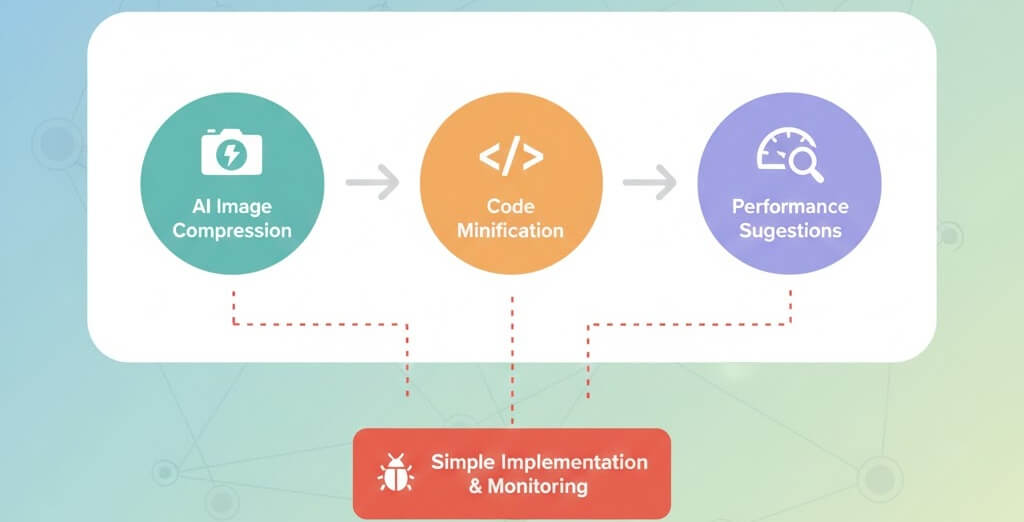
Large images are the most common cause of slow loading times. AI tools can analyze an image to remove data that the human eye cannot see while maintaining crisp quality.
- ShortPixel AI: Uses neural networks to compress images beyond what standard algorithms can achieve. Learn how to optimize website images without sacrificing quality using these tools.
- TinyPNG/TinyJPG: Uses smart lossy compression techniques to reduce file sizes by 50-80% without a visible drop in quality.
- AI Upscaling: If you have low-resolution images, tools like Upscale.media use AI to increase resolution without blurring, helping you avoid needing a fix for how to fix poor mobile responsiveness caused by low-quality assets.
Step 2: Automated Code Minification and AI Suggestions
Code bloat can prevent browsers from rendering your site quickly. AI optimization tools scan your CSS and JavaScript to remove unnecessary characters and reorder code for faster execution.
- 10Web Booster: An AI-powered plugin that automatically optimizes your frontend, including minification and lazy loading. This is a vital step in how to fix slow website performance.
- NitroPack: Uses an AI-driven engine to handle caching and code optimization simultaneously.
- PageSpeed Insights AI: Google now provides deeper AI-generated insights into your Core Web Vitals. Understanding these is key to your understanding core web vitals impact seo strategy.
Step 3: Implementing AI-Powered Caching
Traditional caching serves a static version of your page. AI-powered caching predicts which pages a user might visit next and pre-loads them.
- Pre-fetching: AI monitors user behavior to identify common navigation paths.
- Dynamic Content Optimization: AI can determine which parts of a page can be cached and which must remain dynamic, preventing fix infinite redirect loops often caused by over-aggressive caching.
- Browser Priority: AI helps the browser decide which scripts to load first (Critical Path CSS), which can help reduce bounce rate by improving website speed.
Step 4: Monitoring and Iterative Testing
Optimization is a continuous process. You must regularly test your site to ensure that new updates haven''t introduced bloat.
- Crawlability: Ensure your optimization tools aren''t blocking search bots. Check your importance of robots txt to ensure compatibility.
- Indexing: If your speed improvements don''t result in better rankings, check fix page not indexed google search console to see if there are other underlying issues.
- Internal Links: Use a tool to identify fix broken internal links as faster sites encourage more crawling, and you want that crawl to be efficient.
Step 5: When AI Optimization Isn''t Enough
Sometimes, the problem lies deeper than what a plugin can fix. You may need to address server-side issues or core architecture.
- Server Health: Review your server maintenance checklist to ensure your hardware isn''t the bottleneck.
- Broken Assets: If images fail to load after optimization, you might need to step by step guide fixing broken links seo.
- Technical Stability: Persistent slow speeds might be a sign of a deeper issue. Look for 5 signs website needs maintenance to determine if it is time for a professional overhaul.
Speeding up your site with AI is one of the most cost-effective ways to improve your business''s digital presence. If you have tried these tools and your site still feels sluggish, or if an optimization plugin has caused your site to go down, don''t panic. WebCare SG is expert in performance tuning and emergency fixes. Contact us today to get your site back in the fast lane.