WordPress Password Reset Emails Not Received: Quick Fixes
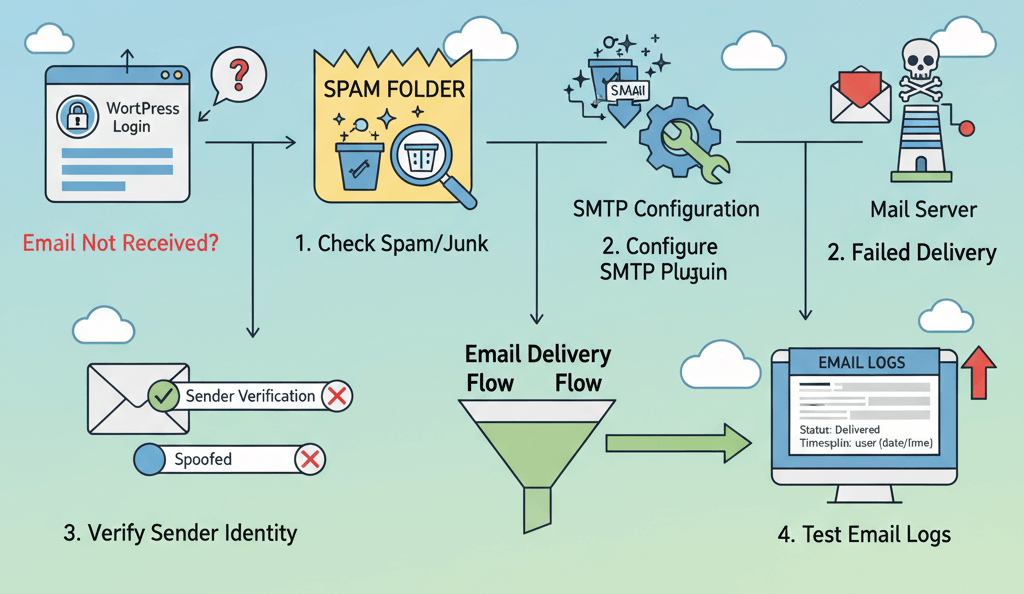
There are few things more frustrating than being locked out of your own website, especially when you know your username and password are correct. You request a password reset email, but it never arrives. This isn’t just a minor inconvenience; it can bring your business to a halt, as you are unable to access your dashboard to update content, process orders, or fix critical issues. The reason for this common problem is that WordPress’s default mail function is often unreliable and can be blocked by your hosting provider or flagged as spam by email clients. The solution is to bypass this flawed system and use an authenticated method: SMTP. This guide will provide a practical, step-by-step walkthrough on how to fix WordPress password reset emails, ensuring they land safely in your inbox so you can get back to work. This is a crucial step to follow after you've made sure your server maintenance checklist is complete.
Step 1: The Simple Fixes (Check Spam and Sender Address)
Before you dive into the more technical solutions, start with the simplest checks. Sometimes, the problem is a minor misconfiguration or a simple oversight. This is similar to how you would fix other issues with your website's forms, such as removing spam comments.
- Check Your Spam or Junk Folder: It may sound obvious, but the first place to check is your spam or junk folder. The password reset email may have been flagged as spam by your email client.
- Verify the Sender Address: Sometimes, a plugin or theme can change the sender address of your WordPress emails. Go to Settings > General in your WordPress dashboard and ensure your "Administrator Email Address" is correct. You can also temporarily change it to a generic email address (e.g., a Gmail address) to see if you receive the email.
Step 2: Configure SMTP to Bypass Default Mail
The most common and effective solution is to force WordPress to use a secure, authenticated method for sending emails. An SMTP (Simple Mail Transfer Protocol) plugin will bypass your web server’s mail function and use a dedicated email service to send your emails. This ensures that your emails are sent securely and are much less likely to be flagged as spam. This is a crucial fix that can help you with other issues as well, as noted in our guide on Fix WordPress Emails Not Sending.
- Install a Plugin: The most popular and reliable plugins are WP Mail SMTP and Post SMTP. Install and activate one of them.
- Configure the Plugin: You will need to get the SMTP credentials from your email provider or host. This information usually includes:
- SMTP Host: The server address (e.g.,
smtp.gmail.com). - SMTP Port: Usually 465 (for SSL) or 587 (for TLS).
- Encryption: SSL or TLS.
- SMTP Username: Your full email address.
- SMTP Password: The password for that email account.
- SMTP Host: The server address (e.g.,
- Send a Test Email: After entering the credentials, most plugins will have an option to send a test email. Send one to yourself to confirm that the setup is working correctly.
Step 3: Temporarily Reset Password via Database
If you cannot receive the password reset email, you can manually reset your password directly in the database. This is a more advanced solution but is a great backup plan. Before you begin, always backup your database. This is a key part of our guide on how to recover lost admin access.
- Log in to cPanel or Your Hosting Dashboard: Find and click on the "phpMyAdmin" icon.
- Select Your WordPress Database: In the left-hand menu, click on the name of your WordPress database.
- Find the `wp_users` Table: Look for the table with the suffix `_users` (e.g.,
wp_users). Click on it. - Reset the Password: Find your admin user in the list and click the "Edit" button. In the
user_passfield, select "MD5" from the "Function" dropdown and enter your new password in the "Value" field. Click "Go" to save your changes.
When to Call the Experts
While these steps will fix most password reset email issues, some problems can be more complex. If you are not comfortable editing your database, or if your emails are still not being delivered despite your best efforts, it is time to call in a professional. An expert can diagnose complex issues, such as a server-side firewall rule blocking outbound mail or a misconfigured DNS record, and ensure your emails are delivered correctly. This is one of the clearest 5 signs you need professional help to fix your website, as attempting to fix these issues incorrectly can have a major negative impact on your website. For more on this, check out our guide on Why DIY Website Fixes Can Make Things Worse.
If you’re still having trouble, don’t worry! WebCare SG is here to help. Contact us today for fast and reliable website fixes.
Related WebCare Solutions

Google Tag Manager Not Working? Debugging Guide
A comprehensive debugging guide for Google Tag Manager issues, covering container errors, preview mode problems, and conflicting scripts to ensure your tags fire correctly.

Google Says ‘Noindex’ – How to Fix Indexing Issues
A comprehensive guide to diagnosing and fixing website indexing issues flagged by Google, focusing on meta tags, robots.txt, and Google Search Console.

How to Troubleshoot a "500 Internal Server Error"
Learn how to troubleshoot the "500 Internal Server Error" step by step, with detailed insights to identify and resolve common causes of server-side issues.
Ready to get started?
Focus on your business while we fix your website. Contact WebCareSG today for fast, reliable solutions!
Whatsapp us on