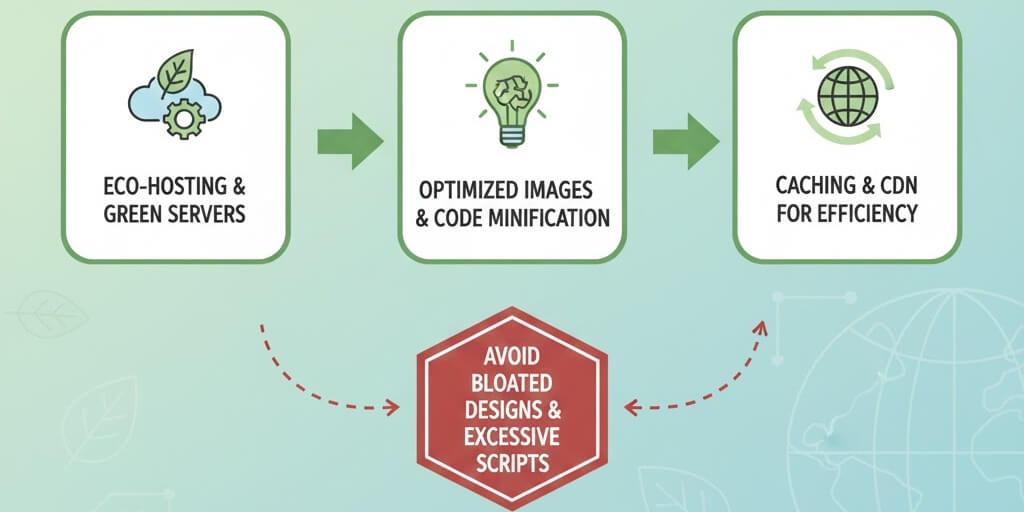
The Environmental Cost of the Internet
Many business owners don''t realize that the internet is responsible for a significant portion of global carbon emissions. Every byte of data transferred requires energy to power servers, cooling systems, and local devices. By adopting sustainable web practices, you aren''t just helping the planet—you are also building a leaner, faster, and more efficient website. This guide provides a DIY roadmap to eco-friendly web management. Improving efficiency is also a major part of how to fix slow website performance.
Step 1: Switching to Green Web Hosting
The biggest impact on your site''s carbon footprint is the energy used by the data center hosting your files. Green hosts use renewable energy or purchase carbon offsets to neutralize their impact.
- Verify Renewable Energy: Look for hosts that are certified by organizations like the Green Web Foundation.
- Server Location: Choose a server close to your primary audience to reduce the distance data travels. This is an essential part of your server maintenance checklist.
- Efficiency: Managed hosting providers often use more efficient server configurations, which can help how to fix website downtime server errors 500 502 503.
Step 2: Aggressive Image and Video Optimization
Large media files are the "gas guzzlers" of the web. The more data a user has to download, the more energy is consumed.
- Compress Everything: Use AI-powered tools to optimize website images without sacrificing quality.
- Use Next-Gen Formats: Whenever possible, use AVIF or WebP to reduce file sizes by up to 30% compared to traditional JPGs.
- Lazy Loading: Only load images as the user scrolls down to them. This is a key technique to speed up your site and save energy.
Step 3: Choosing Lightweight Themes and Plugins
Bloated code requires more CPU processing power on the user''s device, leading to faster battery drain and higher energy use.
- Avoid Heavy Builders: While convenient, some builders add thousands of lines of unnecessary code. If you notice your design is sluggish, follow our tips on how to update website without breaking it when switching to a lighter theme.
- Audit Your Plugins: Every active plugin adds weight. Delete anything you don''t use. This is part of the importance of regularly updating plugins and themes.
- Check for Mobile Efficiency: A lightweight site is naturally better for phones. Check is your website mobile-friendly to ensure mobile users aren''t wasting data.
Step 4: Enabling Caching and CDNs
Caching reduces the number of times your server has to process a request, significantly lowering energy consumption.
- Browser Caching: Stores certain files on the user''s device so they don''t have to be re-downloaded on every visit.
- Content Delivery Networks (CDNs): Services like Cloudflare distribute your content across many local servers, reducing the energy needed for long-distance data transfer. This can also reduce bounce rate by improving website speed.
- Fixing 404s: Broken links waste energy by forcing the server to process a request that leads nowhere. Regularly identify fix broken internal links to keep things efficient.
Step 5: Measuring and Monitoring Your Impact
You can''t improve what you don''t measure. Use eco-checkers to find where your site is "leaking" energy.
- Website Carbon Calculator: Enter your URL to see how much CO2 each visit produces.
- EcoGrader: Provides a score based on hosting, speed, and design efficiency.
- Google PageSpeed Insights: While not specifically eco-focused, a high score here usually correlates with a low carbon footprint. Understanding understanding core web vitals impact seo will help you achieve these goals.
Sustainability is the future of the web. By building a greener site, you provide a better experience for your users and a lower cost for your business. If you''re struggling with high data usage or a slow, bloated site, WebCare SG can help you perform a comprehensive performance and sustainability audit. Contact us today to make your website part of the solution.