Strengthening Website Security Against 2025 Threats
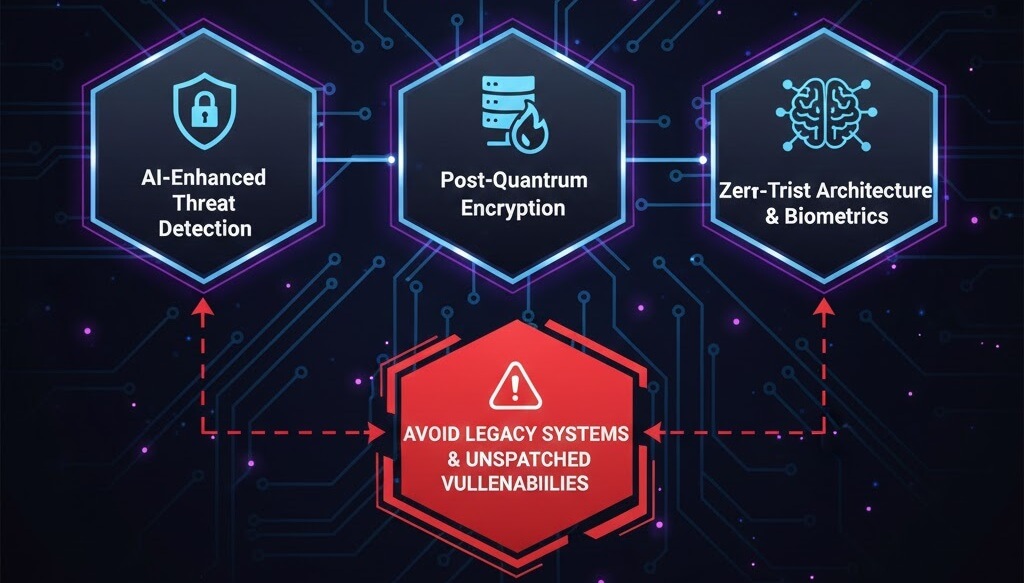
The Evolving Threat Landscape of 2025
In 2025, website security has moved beyond simple password protection. Cybercriminals now use automated AI bots to launch sophisticated phishing campaigns and ransomware attacks that can cripple a business in minutes. Staying safe requires a shift from reactive fixing to proactive hardening. If you are already noticing strange behavior, you may need to look into WordPress malware removal immediately. This guide outlines the essential steps to future-proof your site against modern vulnerabilities.
Step 1: Implementing Multi-Factor Authentication (MFA)
Brute-force attacks are more efficient than ever. A strong password is no longer enough. MFA adds a vital second layer of defense that prevents unauthorized access even if your credentials are leaked.
- Use Authenticator Apps: Move away from SMS codes, which can be intercepted. Use Google Authenticator or Authy.
- Hardware Keys: For high-security sites, consider YubiKeys for physical login verification.
- Limit Login Attempts: Use a plugin to lock out IP addresses after three failed attempts. This is a core part of how to secure your website against basic threats.
Step 2: Configuring a Web Application Firewall (WAF)
A firewall acts as a digital bouncer, filtering out malicious traffic before it even reaches your server. Free tools like the basic version of Wordfence or Cloudflare are excellent starting points.
- Endpoint Firewall: Plugins like Wordfence scan incoming requests at the application level to block known SQL injection and Cross-Site Scripting (XSS) attacks.
- Cloud-Based Firewalls: Cloudflare provides an extra layer by blocking traffic at the DNS level. This helps how to fix website downtime server errors 500 502 503 caused by DDoS attacks.
- Country Blocking: If you don''t do business globally, block traffic from high-risk regions to reduce your attack surface.
Step 3: Enabling Automated Security Updates
Outdated software is the leading cause of website breaches. In 2025, the speed at which vulnerabilities are exploited means manual updates are often too slow.
- Core Updates: Enable automatic background updates for WordPress minor releases.
- Plugin and Theme Management: Use a staging site to test major updates, then push them live quickly. Review best practices for updating WordPress and plugins to avoid site breaks.
- Backup Before Updating: Always ensure your automation includes a pre-update backup. Understand the importance of backups for your website as your primary recovery method.
Step 4: Spotting Modern Phishing and Ransomware Signs
Social engineering is a major threat in 2025. You and your team must be trained to spot the subtle signs of a breach.
- Suspicious Admin Users: Regularly check your "Users" list for accounts you didn''t create. If you find one, follow the steps to protect against hacks and recover from breaches.
- Unexpected File Changes: If your security plugin flags changes to core files like
wp-config.phpor.htaccess, treat it as a high alert. - Search Results Defacement: If your site shows strange characters in Google, you may need to recover a website from a hacked defacement.
Step 5: Proactive Maintenance and Health Checks
Security is not a one-time setup; it is a habit. Regular audits ensure that your defenses remain effective as new threats emerge.
- Database Cleaning: Remove old revisions and spam that can harbor malicious scripts. Learn how to remove spam comments from wordpress to keep your database lean.
- Scan for Broken Links: Hackers sometimes inject links to malicious domains. Use a tool to identify fix broken internal links and remove them.
- Performance Monitoring: Sudden slowdowns can be a sign of a hidden crypto-miner running on your server. Follow our tips to speed up your site and monitor resource usage.
Security in 2025 requires a multilayered approach. By combining MFA, automated updates, and a strong firewall, you significantly decrease your risk profile. If you suspect your site has already been compromised, or if you''re seeing 5 signs you need professional help to fix website, don''t wait for the damage to spread. WebCare SG offers 24/7 security monitoring and emergency response. Contact us today to secure your digital future.
Related WebCare Solutions

WooCommerce Orders Not Sending Confirmation Emails: The Ghost in the Machine
A practical guide to troubleshooting and fixing why WooCommerce order confirmation emails are not being sent, with steps to verify email settings, configure SMTP, and check order status triggers.

Why is My E-Commerce Website Not Processing Payments? How to Fix It
A comprehensive guide discussing common payment gateway issues and providing detailed steps on how to troubleshoot and resolve them to ensure smooth transaction processing on your e-commerce website.
Essential Website Metrics Every Business Owner Should Monitor
Learn about the most critical website metrics every business owner should track to ensure online success. Understand how to analyze data for better decision-making.
Ready to get started?
Focus on your business while we fix your website. Contact WebCareSG today for fast, reliable solutions!
Whatsapp us on