Imagine you run three different businesses in Singapore, each needing its own website. Without WordPress Multisite, you would need to pay for three separate hosting plans, maintain three different WordPress installations, and remember three different sets of login credentials. That quickly becomes expensive and time-consuming. WordPress Multisite solves this problem by letting you run multiple websites from a single WordPress installation. Instead of managing separate WordPress dashboards for every business, you get one central dashboard where you can control all your sites. For Singapore business owners who manage multiple brands or client websites, this can save both time and money. However, it also comes with its own set of challenges that you need to understand before committing to it.
In this guide, we will walk you through exactly what WordPress Multisite is, how it works, and most importantly, whether it is the right choice for your situation. We will break down the pros and cons in plain language, walk through the setup steps, and help you decide if this tool fits your business needs. By the end, you will have a clear picture of whether WordPress Multisite will work for your Singapore business or if you are better off with separate WordPress installations.
What Exactly Is WordPress Multisite?
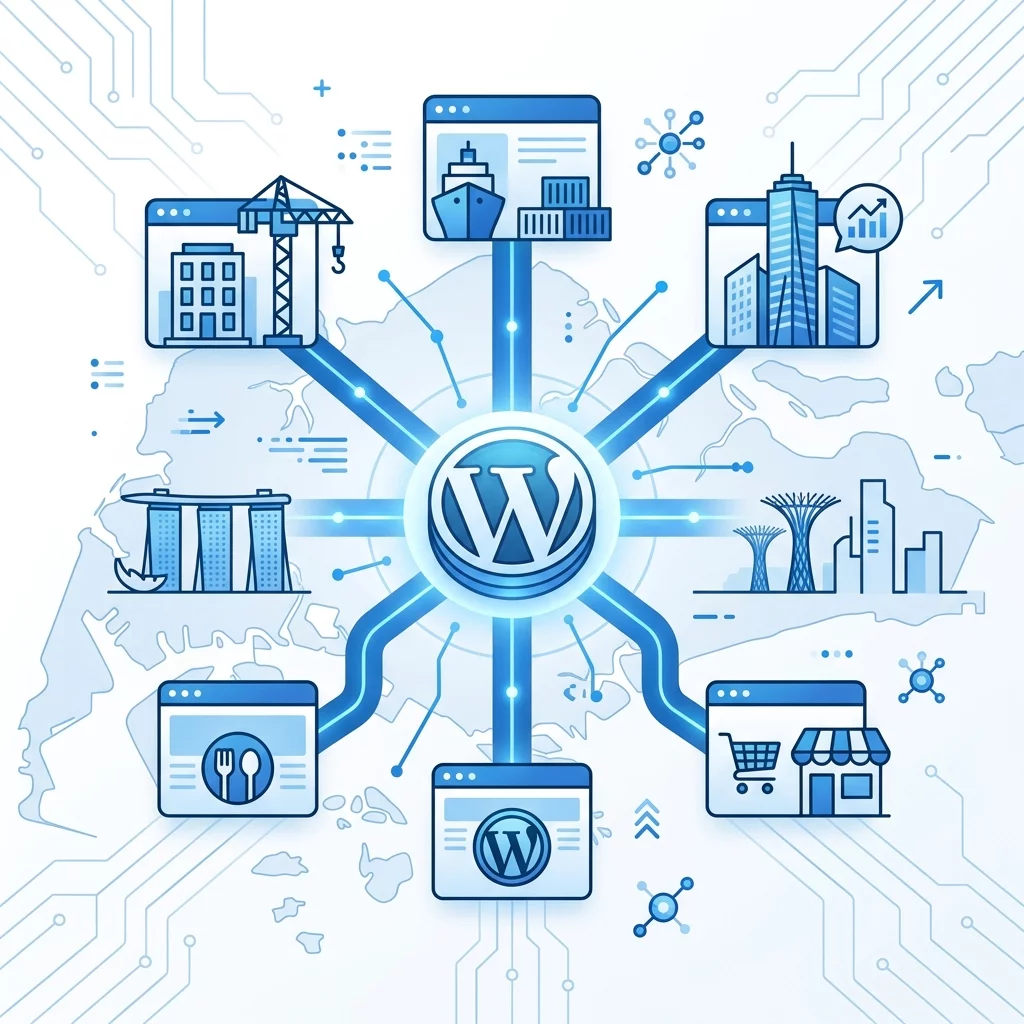
WordPress Multisite is a built-in feature of WordPress that allows you to create and manage multiple websites from a single WordPress installation. When you activate Multisite, your WordPress dashboard transforms into a network dashboard. From this central hub, you can create new subsites, install plugins and themes that apply across the entire network, and manage all your websites without logging in and out of separate installations.
Think of it like owning an apartment building. Instead of buying three separate pieces of land and building three individual houses, you buy one piece of land and build multiple units on it. All the units share the same foundation, water supply, and electricity system, but each unit has its own front door, decor, and tenant. That is essentially how WordPress Multisite works. The individual websites share the same core WordPress files, database structure, and server resources, but each site has its own content, plugins, and customization options within certain limits.
The websites in a Multisite network are typically accessed as subdomains or subdirectories of your main domain. For example, if your main site is www.mysgbusiness.com, your subsites might be shop.mysgbusiness.com or blog.mysgbusiness.com. In Singapore, many business owners use this setup to separate their main business site from their blog, their online store, or their client's projects.
How to Set Up WordPress Multisite
Setting up WordPress Multisite requires a few technical steps. If you are comfortable editing configuration files and working with your web hosting control panel, you can do this yourself. Otherwise, consider hiring a professional to help you. Here are the steps involved:
Step 1: Check Your Hosting Environment
Before you begin, make sure your web hosting plan supports WordPress Multisite. Not all shared hosting plans allow Multisite because it requires more server resources. Contact your hosting provider and ask specifically if they support WordPress Multisite. In Singapore, many popular hosts like SiteGround, Hostinger, and Exaweb offer WordPress hosting that supports Multisite. If you are using a managed WordPress host like WP Engine or Kinsta, note that they may have restrictions on Multisite, so check their policies first.
Also confirm that your hosting plan includes wildcard subdomain support. This is necessary for subdomain-based Multisite installations. Your host should be able to enable this for you if it is not already active.
Step 2: Back Up Your Existing Website
Before making any changes to your WordPress installation, create a full backup of your website. This includes your WordPress files, your database, and any media files you have uploaded. Use a plugin like UpdraftPlus or a backup service provided by your host. If something goes wrong during the Multisite setup, you can restore your site to its previous state. Many Singapore business owners skip this step and regret it later when they encounter problems they cannot undo.
Step 3: Enable Multisite in Your WordPress Configuration
Log in to your web hosting control panel and access your WordPress files using a file manager or FTP client. You need to edit the wp-config.php file in your WordPress root directory. Find the line that says "That's all, stop editing! Happy blogging." and add the following line just above it:
define( 'WP_ALLOW_MULTISITE', true );
Save the file and refresh your WordPress dashboard. You should now see a new menu item called "Network Setup" under the Tools menu. This confirms that Multisite has been enabled successfully.
Step 4: Configure Your Network Settings
Click on "Network Setup" in the Tools menu. You will be asked to choose between subdomains or subdirectories for your network. Subdomains look like site1.mysgbusiness.com while subdirectories look like mysgbusiness.com/site1. For new Singapore business websites, subdirectories are generally easier to set up and do not require special DNS configuration. Subdomains require wildcard DNS records which your host must support.
Give your network a title and make sure the admin email address is correct. Then click "Install" to proceed.
Step 5: Update Your Configuration Files
WordPress will now provide you with two pieces of code to add to your wp-config.php file and your .htaccess file. The wp-config.php code configures your network settings while the .htaccess code ensures proper URL rewriting for your subsites. Copy these exactly as shown and replace the existing content in those files. Do not skip or combine these steps as the network will not work properly without both changes.
Step 6: Log In to Your Network Dashboard
After saving the configuration files, log out of WordPress and log back in. You should now see a "My Sites" menu in your admin bar at the top of the screen. This is your Network Admin dashboard where you can manage all your subsites from one place. Take some time to explore the dashboard and understand where different settings are located.
The Advantages of WordPress Multisite for Singapore Businesses
1. Cost Savings on Hosting and Maintenance
One of the biggest reasons Singapore business owners choose WordPress Multisite is the cost savings. Instead of paying for three separate hosting plans, you pay for one. Many hosts offer Multisite-compatible plans at a fraction of the cost of multiple individual hosting accounts. Additionally, since all your sites share the same core WordPress installation, you only need to update WordPress once instead of three times. Your themes and plugins also get updated in one place, saving you significant time.
For an agency managing client websites, this becomes even more valuable. You can host all client sites under one hosting account and manage them from a single dashboard. This reduces your overhead and allows you to offer more competitive pricing to your clients.
2. Centralized Management and Control
With WordPress Multisite, you have one WordPress dashboard that controls everything. You can switch between sites instantly, install network-wide plugins, and apply network-wide theme updates without logging in and out. This is especially useful if you manage a portfolio of websites for different businesses or clients. You can see at a glance which sites need attention and handle updates quickly.
You can also create a standard set of plugins and themes that all subsites must use, ensuring consistency across your network. This is helpful for agencies that want to maintain quality standards across all client projects.
3. Easier User Management
Multisite allows you to create user accounts that can access multiple subsites with different permission levels. You can have one Super Admin who controls the entire network, and then different Site Admins for each individual subsite. This makes it easy to delegate responsibilities. For example, you can give your content writer access to only the blog subsite while keeping your developer with full network access. This level of user management is difficult to achieve with separate WordPress installations.
4. Resource Efficiency
Because all subsites share the same core WordPress files and server resources, Multisite can be more efficient than running separate installations. Your server does not need to load WordPress core multiple times. Instead, one installation serves all your sites, reducing memory usage and processing overhead. For Singapore businesses running on modest hosting budgets, this efficiency can translate to better site performance and lower hosting costs.
The Disadvantages and Challenges of WordPress Multisite
1. Greater Technical Complexity
Setting up and maintaining a WordPress Multisite network requires more technical knowledge than managing a single WordPress site. When something goes wrong, it often affects the entire network, not just one subsite. Debugging becomes more complicated because you need to understand how the network's shared resources interact. For non-technical business owners, this can be a significant challenge. You may find yourself relying heavily on developers or agencies to fix issues that arise.
Additionally, not all plugins and themes are designed to work properly in a Multisite environment. Some plugins may conflict with each other when activated across the network, causing errors on one or more subsites. Before installing any plugin, you need to verify it is Multisite-compatible.
2. Shared Resources Mean Shared Risk
If one subsite on your network experiences a traffic spike or gets hit by a security issue, it can affect all other subsites on the same server. For example, if one of your subsites suddenly receives a massive amount of traffic, it can slow down your other subsites or even crash the entire network. Similarly, if one subsite gets hacked, the infection could potentially spread to other subsites on the same network, though proper security practices can mitigate this risk significantly.
This shared risk means you need to be more vigilant about monitoring all subsites and implementing proper security measures across the entire network.
3. Plugin and Theme Restrictions
While you can activate plugins and themes network-wide, individual site administrators often cannot install their own plugins or themes unless you explicitly grant them that capability. This can be limiting if different subsites have very different needs. You may end up needing workarounds or custom code to give individual site admins the flexibility they require. For businesses where each subsite needs complete independence, this restriction can become a major bottleneck.
4. Database Complexity and Performance
All subsites in a Multisite network share the same database, with each subsite's data stored in separate tables prefixed with the subsite ID. As your network grows and you add more subsites, the database can become large and complex. Query times may increase, and database backups can take longer to complete. If you plan to run a large network with many subsites and high traffic, you will need to invest in better hosting infrastructure and possibly database optimization strategies.
5. URL Structure Limitations
If you choose subdomain-based Multisite, all your subsites will have URLs that include your main domain as a subdomain. This may not be ideal for businesses that want completely separate brand identities for each website. While you can use custom domains mapped to subsites, this adds another layer of configuration and may require additional costs for SSL certificates on each custom domain. Subdirectory-based Multisite keeps all sites under the same primary domain, which can affect SEO if not managed carefully, as search engines may view all subsites as part of the same entity.
Is WordPress Multisite Right for Your Singapore Business?
WordPress Multisite is a powerful tool, but it is not the right solution for every situation. Here is a simple framework to help you decide:
Choose Multisite if you manage three or more related websites that need to share the same plugin and theme infrastructure, if you are an agency or freelancer managing multiple client websites and want to streamline your workflow, or if you want to save on hosting costs by consolidating multiple sites under one plan.
Stick with separate WordPress installations if your websites have completely different branding and design requirements, if you are not comfortable with the technical complexity of managing a network, if your hosting provider does not support Multisite and you cannot switch hosts, or if you need complete independence for each website such that issues on one site should never affect others.
For most small Singapore businesses with one or two websites, separate WordPress installations are the simpler and safer choice. The added complexity of Multisite rarely pays off for such a small number of sites. However, if you are planning to scale up to five or more websites, or if you run an agency managing multiple client accounts, the efficiency gains from Multisite can be substantial.
Before making your decision, talk to a WordPress developer or agency in Singapore that has experience with Multisite setups. They can assess your specific situation and help you understand the real-world tradeoffs involved. A good developer will tell you when Multisite is appropriate and when it is not, rather than pushing you toward a solution that creates more problems than it solves.
If you still need help, feel free to contact us at https://webcare.sg/contact for a free website health check.